Author: John Durret

  • List of privacy search engines for anonymous Internet search

    List of privacy search engines for anonymous Internet search

    Every time you use a search engine to look something up on the Internet personally identifiable information will be collected by all major search engines. The search terms submitted to the search engine, as well as the time, date, and geographical location of the computer carrying out the search will be logged and stored.

    The search words you enter are often stored within search boxes in your browser, your computer will normally cache those words and pages you visit, your searched for terms can be retrieved by anyone with access to the hard disk.

    Do you really want search engines like Google or Bing to know everything you search for on the internet?

    What information do search engines keep?

    1) IP Address: Your personal computer IP address can be traced back to you through a reverse DNS lookup with tools finding out not only your ISP but also your approximate location such as State or Province.

    2) Date & Time: The exact date and time you were searching for a certain keyword will be logged. The browser you use is normally also stored in search engines logs.

    3) Query Terms: The terms your searched for will be stored.

    4) Cookie ID: A unique code is embedded into the cookie and assigned to a particular computer by the search engine. It allows a search engine to learn if requests came from a particular computer, as long as that identifiable cookie is still stored in the browser Internet searches can be linked and traced back to you independently of what computer IP you use.

    Notice that after some pressure from privacy groups some major search engines have begun to mask the computer user IP address on their search logs but this does not make your search history anonymous.

    What information do search engines send to webmasters?

    After you click on one of the results given by the search engine, your search terms are passed to the website server logs, that webmaster will know what search terms you used to find that site, the referring URL and your IP address, as well as other data like your Internet browser and operating system you are using and even your default browser language, all of this can help to identify you.

    Google maps search
    Google maps search

    Privacy search engine Duck Duck Go

    Your web browser automatically sends information about your user agent and IP address to the search engine but Duck Duck Go will not store it at all. This information could be used to link you to your searches and other search engines will use it to show you more targeted advertising. Duck Duck Go will go out of its way to delete that data.

    At Duck Duck Go no cookies are used by default and they do not work with any affiliate program that will share personally identifiable information like name and address. Feedback at Duck Duck Go can also be given anonymous not having to enter an email address in the form (it can be left blank). This privacy search engine also allows searching via its SSL website and lots of customization options.

    Duck Duck Go pulls results from Microsoft’s Bing and Google search APIs, a lot of what you’re getting are results you could find on those search engines with the added advantage that your personal privacy is respected while searching the Internet. Duck Duck Go also has its own web crawler and web index.

    https://www.duckduckgo.com

    Duck Duck Go no logs search engine
    Duck Duck Go no logs search engine

    Privacy search engine IxQuick & Startpage

     IxQuick was awarded the first European Privacy Seal, IxQuick privacy search engine will not record your IP address, other data like the search queries are deleted from the log files within a maximum of 48 hours, often sooner.

    IxQuick uses the POST method to keep your search terms out of the logs of webmasters of sites that you reach from their results, the major search engines on the other hand, use the GET method which allows web servers to log what search terms you used to reach them.

    You can use encrypted Secure Socket Layer (SSL) connections to carry out your search stopping your ISP from snooping on you, this is of vital importance if you are using a public computer in an internet cafe, library or at work where the network administrator can easily spy on your search terms.

    IxQuick uses a single anonymous cookie to remember the search preferences you saved for your next visit, it will not use cookies with a unique ID like many other websites do.

    IxQuick also allows for advanced syntax search and being a Metasearcher, it pulls some of it results from other major search engines like Bing, Ask or the Open Directory. IxQuick also lets you visit the chosen page with a built in proxy,  the webmaster server logs will only see/log IxQuick IP address and not yours.

    I tested IxQuick search proxy on my server and it also spoofs your agent ID and operating system, identifying itself as Google Chrome and Windows 7, this is a good practice as it makes even more difficult to pin you down.

    The Dutch IP IxQuick search proxy gives once reversed identified itself as Webhosting customers, making it obvious it is not an ISP but a hosted proxy, the URL entry was presented as blank in the server logs, overall, their proxy for searching in privacy does a good job at keeping your privacy online.

    https://www.ixquick.com or https://www.startpage.com

    IxQuick privacy search engine
    IxQuick privacy search engine

     Search engine Findx

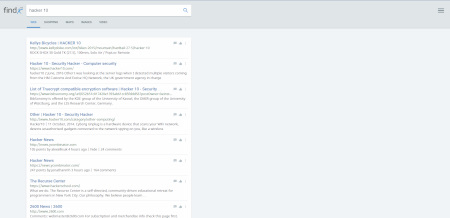
     This search engine from Denmark can be used to find webpages, images, videos and shopping, results are crawled by its own bot and it does not rely on Google or Bing, users can contribute to improve search results by rating them.

    In Findx your search history is not saved anywhere, you are not tracked, and no identifiable information is kept, the company has a clear privacy policy easy to find. Findx claims that if required by law to share personal data they will have to comply with it, but since they do not hold anything identifiable, it is impossible for the company to provide data.

    They also plan to release an Internet browser for private browsing, called Privafox in the future.
    https://www.findx.com

    Findx privacy search engine
    Findx privacy search engine

     Usenet search engine BinSearch

     This is not an anonymous Internet searcher but it is included on the list because it carries results that nobody else does. BinSearch specialises in crawling binary Usenet newsgroups results that are ignored by all major search engines. You can search for Usenet posts subject, filenames or .nfo and limit your search to certain newsgroup or timeframe.

    Due to the huge amount of data that Usenet carries, results are refreshed every few weeks and old ones dropped, Binsearch crawls thousands of groups but it is not possible to index all of them, only the major newsgroups.
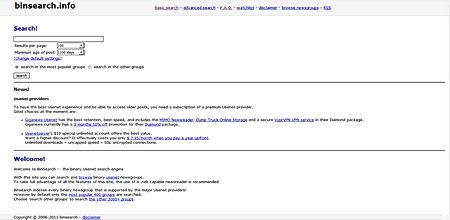
    http://www.binsearch.info

    BinSearch binaries Unsenet search engine
    BinSearch binaries Unsenet search engine

    Privacy search engine Qwant

    A search engine based in France that promises not to collect your data, they do not even put a cookie in your browser, if you want your settings to be remembered you have the option of opening an account with Qwant anonymously, otherwise the search engine does not remember anything. They have a data protection staff member and their privacy policy is very well explained and clear.

    Search results come from its own crawling bot complemented with Bing, you might see advertising but it is not targeted since Qwant does not track its users. You can use this search engine to find webpages, images, videos, news, shopping, music and social. There are two versions of Qwant you can access, one of them where the search engine displays results from across multiple sources, including social media, and one light URL that only displays results for webpages without pictures, this saves bandwidth.
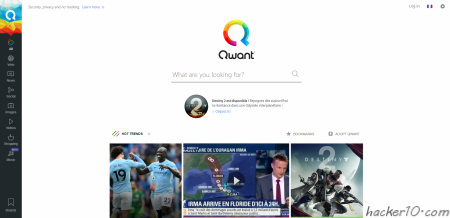
    https://www.qwant.com

    Qwant privacy search engine
    Qwant privacy search engine

     Tips to search the Internet with privacy

    Do not accept any of the major search engines cookies, they might use them to identify you later on, if you already have a Google or Bing search engine cookie on your computer, delete them.

    Do not sign up for email at the same search engine where you regularly search, your personal email address can potentially be tied up to your search terms. Using Google and Gmail (both Google products) or Bing and Hotmail (both Microsoft products) together is not a good idea.

    Mix up a variety of search engines, this will spread all of your searched terms across different companies and servers. Varying the physical location you search from can also be helpful, you can use a VPN to change your computer and country IP and delete all of your search engine cookies before starting a new private searching session.

  • Free keylogger protection Neo’s SafeKeys

    Free keylogger protection Neo’s SafeKeys

    If are conscious about computer security or are using a public computer in an internet cafe or library, using some kind of protection against keyloggers is a must have.

    A keylogger can easily capture your Yahoo mail and Gmail passwords as well as banking passwords, anything you type in your keyboard could be logged and stored by someone you don’t know.

    Neo’s Safekeys keylogger protection is a virtual keyboard that works with the mouse and will protect you against malicious hardware and software keyloggers.

    Do not be fooled by the Windows on-screen keyboard as it performs software key presses each time you click an on-screen key and even the most basic keylogger will capture everything you type using it.

    Neo’s SafeKeys keylogger protection main features

    Password drag and drop keylogger protection: This feature allows you to tansfer your password dragging and dropping the password from Neo’s SafeKeys to the destination program, there are no keyloggers at present that can capture a password while dragging and dropping it.

    Keylogger screenshot protection: Neo’s SafeKeys keylogger protection protects you against screenshots being taken ofyour mouse movements, Neo’s SafeKeys introduces a protective transparent layer on the virtual keyboard, if any malware is taking screenshots they will only see the protective layer and not the virtual keyboard buttons, screenshots taken using Windows commands do not see the transparent Windows, Neo’s SafeKeys will always remain at least 1% transparent.

    Field scrapping keylogger protection: Some commercial keyloggers can grab passwords from password fields using Windows API commands, Neo’s SafeKeys keylogger protection will keep your password away and it will never store it behind the asterisk mask in Windows fields.

    Neo’s SafeKeys keylogger protection
    Neo’s SafeKeys keylogger protection

    Mouse positioning keylogger protection: Mouse position logging is often used to defeat people using the banking websites on-screen keyboards, each time you click the coordinates of your mouse are captured, since the virtual on-screen keyboard always has the same dimensions the malware can then learn what on-screen keys you clicked on.

    Neo’s SafeKeys will always start in a different position on the screen and its height and width will also change. You can also use a button named Resize SafeKeys to reset your virtual keyboard dimensions.

    Clipboard keylogger protection: Most malware is able to capture data copied to Widnows clipboard, that includes even passwords. Neo’s SafeKeys never uses the clipboard for anything, ever.

    Neo’s SafeKeys keylogger protection extrea features

    Neo’s SafeKeys allows for the creation of customized keyboard layouts, your settings (not the passwords) will be stored in a NSKconfig .ini file, you can copy it and edit to your own taste until you get the keyboard layout you want.

    You can use Neo’s SafeKeys as a portable notepad, disabling the password mark you will be able to see anything you enter.

    Hardware keylogger plugged in PS2 port
    Hardware keylogger plugged in PS2 port

    Hardware keyloggers like the one pictured above are notoriously hard to detect, antivirus will not find them and they work in all operating systems.

    Visit Neo’s SafeKeys homepage

  • Free easy to use encryption software R-Crypto

    Free easy to use encryption software R-Crypto

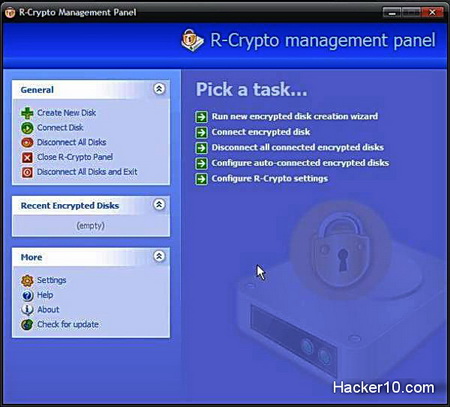
    R-Crypto Data Security and disk encryption software will help you hide all of your internet pornography, financial details and other sensitive data from prying eyes. This free encryption software will create an encrypted virtual disk only visible after you enter the appropiate password, inside that encrypted disk you will be able to store anything you like and after closing it,  the encrypted data will remain unaccessible for anyone without the right password.

    R-Crypto encrypts data using the cryptographic infrastructure of the Microsoft operating system, this can include Microsoft AES crypto provider with key lengths of 128, 192 and 256 bits, for the password it will use the well known uncrackable Secure Hash Algorithm SHA-512. It can also use the Data Encryption Standard DES, or 3DES but it is highly reccomended to stick to AES as DES is not a safe encryption algorithm anymore.

    R-Crypto constitutes a robust and safe encryption program with no backdoors, best of all R-Crypto is completely free of charge. If you want to hide your internet pornography from your wife and others, R-Crypto will be very useful and it is easy to use for beginners.

    With R-Crypto you will have access to your encrypted disk control with an easy to use wizard that will guide you through the creation of the encrypted disk and it will also allow to change the size of the encrypted disk easily and it has many more features like being able to wipe the encrypted hard disk to make sure this is irrecoverable.

    R-Crypto Data Security
    R-Crypto Data Security

    Because R-Crypto uses Microsoft cryptographic infrastructure, it is ideal for companies that require certification for such products to meet certain governmental or corporate standards, as well as individual users with high security and privacy needs.

    Visit R-Crypto homepage

  • How long should my password be? Minimum password length suggested

    How long should my password be? Minimum password length suggested

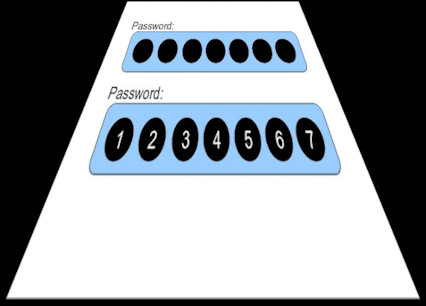
    We should start talking about passphrases and not passwords, according to one Georgia Institute of Technology study any a password shorter of 12 characters is vulnerable to attack, the length of your password, as well as quality, like using a combination of alphanumeric characters, does matter a lot when it comes to computer security.

    A standard English keyboard has 95 letters and symbols and you should be taking advantage of them to write full sentences as your password. Knowledge about a user may suggest possible passwords (such as pet names, children’s names, etc), hence estimates of password strength must also take into account resistance to this attack as well.

    Password box
    Password box

    The ideal password length is 12 characters

    The Georgia Tech Research Institure study on brute forcing passwords suggests a 12 characters password length in order to strike the right balance between convenience and security. Assuming a hacker can try 1 trillion password combinations a second, it would take him 180 years to crack an 11 character pass, this number would increase to17,134 years to crack a 12 character password.

    How to create a strong password?

    • Include numbers, symbols, upper and lowercase letters in passwords.
    • Avoid any password based on repetition, dictionary words, letter or number sequences.
    • Use capital and lower-case letters.
    • Password must be easy to remember for and not force insecure actions like writing it down on notes.

    According to one of the study authors if an attacker wants to crack many passwords quickly, once he’s built a rainbow table it might then only take about 10 minutes per password rather than several days. A rainbow table encodes the hashes of the most common passwords and uses that database to quickly run it against your hidden password.

    Solutions to create secure passwords

    Instructions to create the best random password possible: Diceware

    Store your passwords encrypted online: LastPass

    Free secure password manager for desktop computer: KeePass

  • Use a VPN on a computer without admin rights

    If you have to move around between computers, are using a college or work computer and have no admin rights and want to use a VPN to get around internet filtering you will find that OpenVPN needs administrator rights to be installed. There is a work around for this, simply use a portable VPN on a USB drive, which combined with a portable internet browser will also stop traces being left in the host computer.

    You can bypass your workplace and library internet filtering with a virtual private network, as long as you can install a USB thumbdrive you will be able to launch the portable VPN or SSH tunnel, that will get around any logging, not even visited sites will be seen by the admin.

    Portable VPN applications

    OpenVPN portable (Free): OpenVpnPortable is openvpn and a modification of openvpn-gui as a portable app, so you can connect to your vpn on any computer. It is open source and free, for this portable VPN to work you will need to have your VPN provider digital certificates.

    PortableVPN ($/€): This application allows to establish a VPN connection while using a computer without admin rights. You do not need to configure anything other that the portable VPN, it also allows for a portable PPTP. This application is also U3 capable for USB thumbdrives with U3.

    Portable SSH tunnel

    KiTTY: KiTTY is a fork of the well known SSH client PuTTY, KiTTY does not require any installation and you can use it easy with and SSH provider or your own SSH proxy server, place the portable SSH client on your thumbdrive and configure your browser to do all the surfing through the anonymous tunnel.

    Remote SSH tunnel connection
    Remote SSH tunnel connection

  • Security and encryption Apps for Android phone

    The Android operating system allows for great customization due to its open source nature. If you own a smartphone that runs Android you will want to take care of your personal privacy and security, smartphones can store lots of personal data, you should be using encryption and anonymous proxies on the Android as well as your desktop computer.

    Free Android security applets for encryption

    TextSecure (Free): All text messages sent or received with TextSecure are stored in an encrypted database on your phone, and text messages are encrypted during transmission.

    APG (Free): OpenPGP for Android is open source, it helps you manage encryption keys (GPG/PGP) and encrypt/sign/decrypt emails/files.

    OI Safe (Free): Store password securely using the AES encryption algorithm, encrypt OI Notepad notes and it support the premium Obscura picture safe to encrypt pictures on your Android smartphone.

    CipherLog (Free): CipherLog™ is a simple journalling software that encrypts your entries, enabling you to store sensitive data on your device.

    Password Safe Lite (Free): Keep your Android passwords and confidential info safe using 128bit AES.Encrypted information will be stored in a database on the phone and no information is kept online, the database can be backupby exporting it.

     B-Folders (Free): B-Folders is a secure fully encrypted database password-based 256-bit AES algorithm where to keep passwords, trade secrets and financial info. With its sync technology you can sync all your phones, desktop and laptop computers.

    Keeper (Free): It allows you to securely store all your secret information such as logins, passwords and financial info using 128-bit AES encryption.

    PGP manager encryption Android
    PGP manager encryption Android

    Premium Android security for encryption

    OpenPGP Manager (€/$): PGP & PBE encrypt & decrypt, sending encrypted email using the Android OS, creation of PGP keys, Symmetric encryption and decryption (password-based) with selectable algorithms.

    MyStash (€/$): MyStash encrypts sensitive files you use on your Android device, this Android encryption applet secures your files using the TripleDES encryption algorithm. Photos and movies become viewable only by entering a pre-selected 4-digit pin.

    Password Juggler (€/$): Android app to safely store all those hard to remember passwords for quick easy access. Password Juggler uses the 128 AES algorithm to securely store your passwords.

    Android anonymous communications

    Orbot (Free): Orbot allows mobile Android users to access the web, instant messaging and email without being monitored or blocked by their mobile internet service provider. Orbot integrates the tor proxy to the Android mobile operating system.

    Android NewsGroup Downloader (€/$): Smartphone Usenet newsreader handling all type of newsgroup attachments, it supports posting of binaries and SSL encryption. You will need a newsgroup provider too.

  • List of online services to encrypt email and text messages

    Sending emails it is just like sending postcards, anyone who comes across them can read the content, if you find it too hard to use encryption software like PGP/GnuPG, you can resort to encrypt messages online on a website and send the encrypted text, or post it to Usenet, for the intended recipient to retrieve.

    Online services to encrypt messages

    Lockbin: A free service for sending private email message and files, the service has an integrated online form and you can send the encrypted email from their own website, messages are encrypted in the server using AES256bit and TLS encryption in transit.

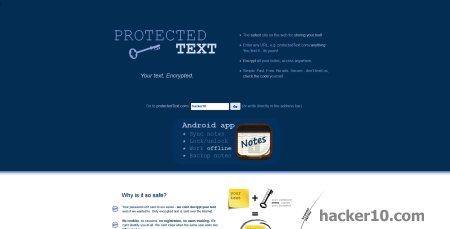
    ProtectedText: All encryption is done in your browser with JavaScript, the password is never sent to the server, and just in case you don´t trust the website, the source code used to encrypt is open source. There is no registration, logging or tracking and an easy to remember URL to access the encrypted note is available.

    ProtectedText online text encryption
    ProtectedText online text encryption

    Cypher Dog: This is mostly a paid product, decryption works for free but after two weeks trial you must pay to encrypt messages. It can be used in your desktop computer, smartphone or browser installing an extension, it is a scalable and business friendly solution for encryption.

    Encrypt-Online: An easy to use form allows you encrypt any text message password protecting it, data is encrypted in the browser with JavaScript, you can choose in between the algorithms AES256 bit in CBC mode or 3DES, they are both uncrackable. There is a single advertising banner in the website that finances its operation.

    SecureStuff: This website allows you to encrypt files and text, operation is very easy, there are two windows, enter the text in one of them and you will see the encrypted text in the other window where you can copy and paste it transmitting the decryption password to the recipient by secure means such as a phone call.

    You may also use a compression program like PeaZip, 7Zip or BCArchive to send your encrypted message or file to someone without encryption software installed and with little knowledge of computers, this is very easy to use and free, simply add a password when you compress the .txt file, your recipient will only have to enter a password to read it and it will not overwhelm them if they are not too computer savvy.