Category: Security

Computer Security

  • Anonymous encrypted communications with LEAP Bitmask

    Anonymous encrypted communications with LEAP Bitmask

    Bitmask is an open source cross platform bundle from the LEAP Encryption Access Project, a non profit group dedicated to protect the right of leaking information. Bitmask can be used to send anonymous email messages, hide your computer IP when visiting websites, circumvent Internet filters and encrypting your Internet activities to stop ISPs from logging them.

    You can either set up your own Bitmask server to tunnel your traffic or find a provider that supports the application. To open a Bitmask account you only have to cook up a username and password, no additional information is required. Currently Bitmask only works with LEAP own Bitmask server but activist privacy providers like Riseup and Calyx plan on implementing it soon.

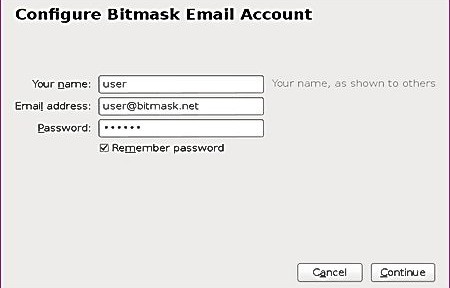
    To anonymously send email with Bitmask a help guide explains how to manually set up SMTP and IMAP to proxy messages in any email client or you can download Bitmask Thunderbird addon with a wizard guiding you through the proxy set up process, the addon also prevents Bitmask account caching.

    LEAP Bitmask anonymous email configuration
    LEAP Bitmask anonymous email configuration

    Bitmask has been designed to automatize anonymity, it uses OpenPGP for email encryption but you don’t have to exchange encryption keys with anybody, the program does it for you. Encryption takes place in your computer and should stop Gmail or Outlook from handing over email contents to the NSA, emails are stored encrypted in your computer.

    One of Bitmask email downsides is that you can not use it with webmail, it only works with email clients, and in case you wonder, the difference in between Enigmail and the Bitmask Thunderbird addon is that Bitmask exchanges encryption keys automatically.

    Encrypted Internet activities and hiding your computer IP from websites is attained with a VPN tunnel, to mitigate the risk of a VPN provider eavesdropping on you Bitmask authenticates with the VPN using an anonymous digital certificate. What I could not see if any counter measure to stop a rogue VPN from logging computer connection IP and timestamps.

    Bitmask stated goal of bringing easy always on network encryption bets on safe technologies like OpenVPN and OpenPGP, some trust is placed on the VPN provider, and although it allows organisations to roll out their own server, so does OpenVPN. I did not find Bitmask any easier than downloading a VPN program and using webmail for pseudo anonymous encrypted Internet communications. The best points of LEAP Bitmask are that it is open source, it allows people to run their own server and has detailed technical documentation.

    Future plans include anonymous chat on top of XMPP, secure VoIP, LEAP Tor hidden services and creating a darknet in between all LEAP platform providers. Of all those things the most exciting feature for me is the Bitmask darknet, for those who don’t know, a darknet is a closed private network of computers that can only be accessed by approved members.

    Note: At the moment Bitmask Windows only works with 32bits OS, if you have a 64bit OS download the Thunderbird addon..

    Visit Bitmask homepage

  • Warrant divulges FBI high tech malware sent to suspected terrorist email

    In a very little publicised case of bomb threats that have been going on for months against US public buildings like universities, hotels and airports, an anonymous caller identifying himself as a friend of James Holmes, continuously warned the FBI that if the Colorado cinema shooter was not released a building full of people would be blown up using Ammonium Nitrate.

    An Emergency Discloure Request order sent to Google exposed that the caller was using Google Voice VoIP service to carry out the bomb threats while masking his computer IP with a free VPN service called HotSpotShield, also known as AnchorFree.

    Subsequent bomb threats included numerous email exchanges, a chat in between the suspect and an FBI agent using Yahoo Messenger and photographs the suspect sent of, supposedly, himself to the FBI, dressed wearing an Iranian camouflage military uniform.

    The FBI trojan horse is referred to in the search warrant application as Network Investigative Technique (NIT) and it was sent to the suspect’s Yahoo email address “texan.slayer@yahoo.com” in the form of a link, it should have been executed when the suspected terrorist logged into his email account, connecting to FBI servers and downloading malware to let law enforcement know the following:

    – Computer IP address, computer network card MAC address, list of open ports, a list of running programs, operating system and Windows serial number, web browser brand and version, computer’s language encoding and default language, computer time zone, previous visited websites and other identifying information that could be of assistance.

    The document shows that the trojan horse failed to execute correctly but not before revealing that the person making bomb threats was doing so from Iran.

    There is no specific information about how the FBI executed the malware but since a download link is mentioned, I will make a guess, without backing evidence, of how it could have been done, by saying that that the trojan horse could have been embedded in an HTML formatted email and executed with Javascript as soon as the suspect opened the email message.

  • List of non USA cloud storage services with client side encryption

    List of non USA cloud storage services with client side encryption

    To truly secure your data in the cloud it is necessary to encrypt it before it leaves your computer and not to trust others to do this for you. You can encrypt files yourself with something like Truecrypt, DiskCryptor or 7Zip but it requires time and extra work.

    This list contains cloud storage services that apply encryption before uploading it to their servers and give you full control of the decryption keys, making it impossible for the company to decrypt anything.

    TeamDrive: Company based in Germany, data is encrypted in the computer with AES256-bit using your own encryption key that the company has no access to. You can decide whether to store your files in Amazon EC2 USA, Ireland or Hong Kong servers, account data is only held in German servers.

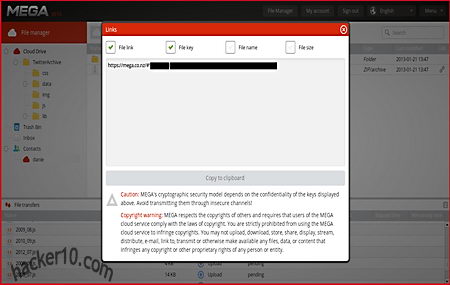
    Mega: Based in New Zealand, all data is encrypted with AES128-bit before uploading it to the cloud, a RSA2048-bit key is used to share already encrypted files in between users, their FAQ is very complete explaining the security measures they use and what possible vulnerabilities exist against their business model.

    Mega cloud encryption file sharing
    Mega cloud encryption file sharing

    Powerfolder: German company, it can be used to store and share files in the cloud, they have no servers in the USA and everything is encrypted client side with the AES algorithm. You can password protect folders before sharing them with others.

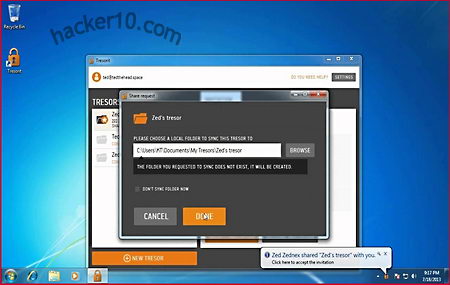
    TresorIt: Hungarian company, they use AES256-bit to encrypt data before uploading it to the cloud. The company offered $US10.000 to whoever can break their security software. Data can accessed in your smarphone or desktop computer. There are free and paid for plans.

    TresorIt encrypted cloud storage
    TresorIt encrypted cloud storage

    Unseen.is: A full communications suite with encrypted cloud storage on top of email and instant messenger. With headquarters and servers in Iceland, encryption is end to end, the company does not have the key and can not read any messages. Unseen.is is transparent about their technological encryption set up and privacy policy. Have into account that online storage is limited, the service has been designed to only back up your most important files, not a whole computer.

    Notice: Even if the company is not based in the USA, they might be using American servers for storage unless specified.

  • List of USA cloud storage services with client side encryption

    List of USA cloud storage services with client side encryption

    Even with local encryption, it is not impossible for a government to subpoena a tech company and force them to introduce a backdoor in their software. A few of the US companies below allow you to download the security software source code to make it much harder for a government to tamper with it unnoticed.

    Another way to strengthen your security is to use third party cloud encryption programs like Viivo or BoxCryptor, they come with an easy to use interface that makes cloud encryption effortless. These programs can be used in conjunction with cloud services own encryption and it will add a second encryption layer that will have to be broken.

    If you use Linux, EncFS can create an encrypted version of your files inside a folder before syncing it online.

    iDrive: Data is secured with AES256-bit encryption before moving it to the cloud. The encryption key is provided by you and not stored anywhere in iDrive servers, or you can opt for their system based encryption scheme where the company holds the key.

    JungleDisk: Used to back up your computer files to Rackspace Cloud Files Service or Amazon S3. During installation you can create your own AES256-bit encryption key that nobody else will know with data being encrypted before leaving your computer.

    JungleDisk cloud encryption Android client
    JungleDisk cloud encryption Android client

    Cubby: Client side encryption with AES256-bit, any content added inside the Cubby software is automatically encrypted before syncing it with the cloud, there is an option to sync data in between your computers and avoid the cloud altogether.

    Elephant Drive: You are given a choice of using the company encryption keys or creating your own, if you create your own keys Elephant Drive will only store a hash value of them to compare it with the entered password when you ask for access. The company will not be able to access your data even if they are forced to at gunpoint.

    SpiderOak: It can be used to share and back up files, data is encrypted in your computer with AES256-bit in CFB mode and HMAC-SHA256, the company has no knowledge of what data is stored in their servers or what your password is. SpiderOak software works in smartphones and Linux as well as Windows.

    Bitcasa: They implement convergent encryption to remove duplicate files stored in their servers, a way to save space in cloud servers by not backing up duplicate files that exist in another user account. With this system the company does not have to decrypt or see the data which is kept ciphered with AES256-bit.

    Bitcasa cloud encryption software
    Bitcasa cloud encryption software

    TarSnap: Targeted at the open source community, Tarsnap works in Linux, BSD, Solaris and other Unix based operating systems. Command line interface or shell scripts will encrypt and sign your data before uploading it, the software source code is available for download.

    Make sure not to fall for Dropbox or Google Cloud Storage security marketing ploys. Those companies only encrypt data server side. They do not protect you against a subpoena forcing a company to hand over the encryption keys.

    The only way to be safe from NSA accessing your data stored in the cloud, is if if the cloud company never had access to the encryption key. In that case, the NSA could only try a brute force attack against hashed passwords and it would not get them too far if you have assembled a very long encryption passphrase.

  • Online password manager Intuitive Password

    Online password manager Intuitive Password

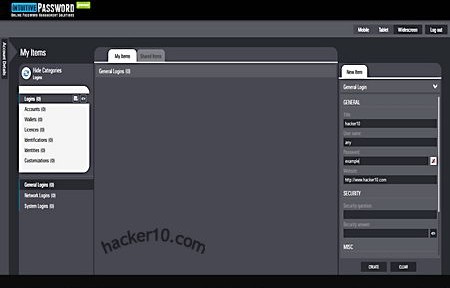
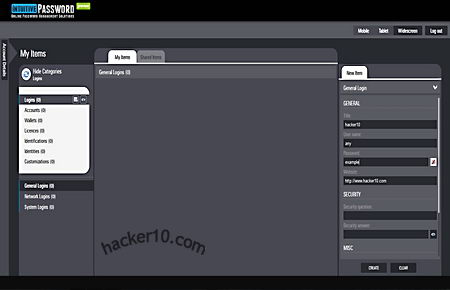
    Intuitive Password is a free cloud based password management service, communication in between your browser and their server is encrypted with SSL, the servers are hosted inside an enterprise grade data centre protected with a firewall, audited and constantly scanned with antivirus software to quickly detect security breaches. To open an account with Intuitive Password you only need an email address that has to be verified clicking on a link, and setting up a security question, any other personal details are optional.

    The security question is very important, I accessed the password manager using a VPN, that changed my computer IP and a message popped up saying that my current location had not been registered with the account and I was challenged to answer with the security question before I could log in, this will happen every time you change geolocation, i.e. travelling. Another security feature that is to be implemented soon is a two factor authentication, after marking a field with “Advanced Protection” you will be sent and asked for an SMS (Short Message Service) code before being able to view that field.

    Intuitive Password online password manager
    Intuitive Password online password manager

    The password manager has an easy to navigate clean lay out, with a single click you can switch from a wide screen desktop view to tablet or smartphone view,  it will work with any operating system and nearly all smartphones, data is synchronized on the cloud without the need to download any application.

    There are pre-made templates to store credit card and bank details, the fields include input boxes specific to the data, like Swift code and expiration date, if you need a particular box Intuitive Password lets you create your own template and customize all fields, passwords can be shared in between colleagues accessing a “Shared Items” tab from where securely send secret passwords and view those sent to you by other Intuitive Password users.

    The only thing that disappointed me is that the main page said it was compatible with the Opera browser but I could not manage to make it work with Opera and I had to switch to Firefox instead, overall, assuming server security is as good as they say, this could be a good alternative to more established online password manager services, Intuitive Password had one of the best user interfaces I have seen, it should help boost productive time.

    Visit Intuitive Password homepage

  • CIA instructions for secure email communications leaked

    CIA instructions for secure email communications leaked

    After the recent arrest of CIA agent Ryan Fogle by the Russian counter intelligence agency Federal Security Service one of items they found in his possession and leaked to the press was a letter advising his Russian informer how to conduct secure email communications, this post will scrutinize these instructions to learn why the CIA adopted those particular security measures.

    • CIA Tip 1: “To get back to us please use an Internet cafe that has Wi-fi”

    The Central Intelligence Agency is advising Wi-Fi to make sure that their informer does not use someone’s else computer, when you use a public computer you agree to being monitored by the system administrator, it is impossible to known what kind of surveillance or viruses exist in that computer and any data left behind, like visited and written emails are recoverable from the Internet browser cache even after years.

    They are also making sure that if the informer home Internet connection is under surveillance by his ISP and checked by keywords, it will not be a threat.

    • CIA Tip 2: “Open a Gmail account which you will use exclusively to contact us” ; “As you register do not provide any personal info”

    They get their informer to use an American email company that can be easily accessible by the US government if needed, they make sure that he is not stupid enough to open the email account using his real name or address or other small details that could be linked to him like his phone number or a real password recovery email address belonging to him.

    CIA secure email instructions for spies
    CIA secure email instructions for spies

    As a side note, there must be something good about Gmail security because former CIA Director General David Petraeus also decided to use a Gmail account for cheating on his wife last year, something I can think of is that Gmail login is with SSL and username and password can not be captured over insecure Wifi.

    • CIA Tip 3: Once you register send a message to unbacggdA@gmail.com: “In exactly one week, check this mailbox for a response from us

    The CIA gets his informer to email to another Gmail address from the same company, with this they make sure that email content will not have to travel over the Internet from one provider to another, if you send an email from Gmail to Gmail, presumably data never leaves Gmail servers.

    The confusing email address the CIA is using makes it very difficult for a similar one to exist, so even if their informer makes a typo, the email will not be sent to someone else by mistake, it should bounce to his inbox instead.

    • CIA Tip 4: “If you use a Netbook or any other device (i.e. tablet) to open the account at a coffee shop please don’t use a device with personal data on it”

    The CIA wants to avoid cross contamination, if the tablet is lost, stolen or hacked and accessed without permission, a third party could link the email exchange with the informer’s real job exposing him as an American spy.

    • CIA Tip 5: “If possible buy a new device (paying in cash) which you will use to contact us”

    The best way to avoid mixing real life data with underground activities is using a dedicated device for illegal actions that will not be touched by anything else, this greatly reduces chances of a mistake and the device can be quickly disposed of if needed. The CIA also makes sure that the informer’s credit card can not be linked to the purchase of a new tablet, if the informer is investigated someone could notice in the financial transactions that he has spent money buying a new tablet nowhere to be found.

    Other spy items

    Other seized items showed to the press include a couple of wigs, three pair of sunglasses and a baseball cap, all of those items make facial recognition difficult if the Russians have that kind of software installed in their CCTV network (public transportation, street cameras, etc) to automatically flag people of interest. The British government has trialled facial recognition software on CCTV street cameras and Germany is known to employ it in Frankfurt international airport.

    Another interesting item found in his possession was an RFID shield that prevents reading of RFID chips embedded in passports and ID cards, this indicates that the CIA does not trust those chips otherwise there would be no need to protect them from unauthorized reading.

    CIA money bundle 500 Euro bank notes
    CIA money bundle 500 Euro bank notes

    Allegedly the CIA spy was also carrying a large bundle of €500 Euro bank notes, these are ideal for money smuggling and corruption. China for example limits its bank notes value to small amounts to make bribery more difficult, to carry a very large amount of money in Yuan would have required the CIA agent a box full of bank notes instead of a bundle, this could explain why the CIA wanted to pay the informer’s bribe in Euros and not dollars or Russian roubles.

    Computer savvy people will wonder why encryption and proxies are not mentioned at all, I am guessing here that the CIA instructions are addressed to someone who is a total computer knob and even an old grandma could follow.

    Read the full letter on the WashingtonPost article

  • Steganogaphy and hidden watermarks with OpenPuff

    Steganogaphy and hidden watermarks with OpenPuff

    OpenPuff is a portable steganography tool supporting images, audio, video and Flash Adobe animation carrier files, it can conceal up to 256MB of data splitting files in between multiple carriers. Before hiding data everything is securely encrypted with AES, scrambled, whitened and encoded, this reduces the chances of anything hidden being detected by specialist tools, you must always remember to erase the original carrier files. If a computer forensics expert has access to both files and can compare them he should be able to prove that one of them contains hidden data even if it can not extracted because everything inside the has been encrypted. OpenPuff has sixteen different encryption algorithms you can use, this makes extracting data even more difficult as only the creator will know what cipher has been used, the tool supports well known secure algorithms like AES, Serpent and Twofish and more obscure ones, like Mars, Anubis or Clefia, a high speed block cipher developed by Sony Corporation intended for use in Digital Rights Management.

    To stop steganalysis, the detection of hidden data, encrypted files are scrambled with a second layer using a pseudo random number generator (CSPRNG) seeded with a user chosen password with data shuffled using random indexes, a third security layer whitens scrambled data adding a high amount of ramdom noise with hardware entropy and the final fourth security layer encodes whitened data using a non-linear function. Very paranoid types can add a decoy file for deniable steganography, just like Truecrypt hidden container works, in OpenPuff you can reveal a password to an innocuous text and keep the real  hidden message from view with a second password. Another feature is the ability to hide a mark inside a video, audio or photograph, useful for when you privately distribute a confidential file to a selected group of people, if the file is later on found leaked on the internet you can check the mark and track down the leak source.

    OpenPuff steganography freeware
    OpenPuff steganography freeware

    The software interface is a little overwhelming for the steganography novice and drag and drop doesn’t work, you have to select everything manually, but security experts should appreciate things like a window with bit selection options showing a huge list of supported carrier files and the ideal data percentage that can be hidden in each different extension to avoid detection, with a third optional password seeding the scrambling CSPRNG, you can use up to three passwords to hide data inside a file, the other end will have to know all of them to decrypt it.

    Thanks to the support for a wide range of carrier files (.bmp, .jpg, .png, .mp3, .vob, .mp4, .3gp, .flv, .swf, .pdf, etc) the program makes it easy to embed hidden data anywhere on the Internet, from a blog to a photo sharing site like Flickr, saving you from having to personally contact a source, which could compromise his identity, but if you are hiding data in multiple files to decrypt them the other end will have to order the files in the right sequence. OpenPuff needs a little practise to get everything right but it is one of the most complete steganography tools I have seen and it has some unique features.

    Visit OpenPuff homepage