Category: Other

Other computing tips

  • Send large files securely with Binfer

    Send large files securely with Binfer

    Binfer is a program to share large files without having to upload and download them like in FTP or a cloud online storage space. Binfer uses P2P technology, it only requires you to drag and drop the desired file on Binfer’s window and you will not have to encrypt or password protect the data, everything is automatically encrypted with AES128-bit, encryption keys are changed for each file transfer and there is no central server that could be compromised.

    The software is written in Java, it works in any operating system, Windows, Mac or Linux, with an Android and Internet browser app to share files with others on your mobile device without having to install anything. But you will speed up the process if you have Binfer in your computer.

    Sharing big files with Binfer
    Sharing big files with Binfer

    When you first install Binfer you will be prompted to create an account using a valid email address, if the welcome email they send you bounces, your account will be automatically deleted.

    The interface various tabs look like the P2P program utorrent. In them you can monitor in and out file transfers, reports, see contacts and access a built in email client attaching files of any size to send to your friends for them to download clicking on the received link, but they will need to be using the same program to download it.

    Binfer is a good solution for those who often share big files, similar Peerio to but with more functions.The only thing is that the free mode has a file size limit, you should look into Bittorrent Sync before parting with your money for Binfer.

    Visit Binfer homepage

    Update: I have had a spammer in this blog linking to Binfer. I can’t prove who is behind this, other than to say all fake comments (now deleted) were made by IP 71.194.2.92 using different nicks.

  • Intrusion Detection Linux distribution Security Onion

    Intrusion Detection Linux distribution Security Onion

    Security Onion is a Ubuntu based Intrusion Detection and Network Security Linux distribution for professionals. It can run as a live DVD or installed in your hard drive with just a few clicks. The distribution comes with well known offensive and defensive digital tools that are not very beginner friendly, you need to have a computer security background to understand what the tools do.

    Fortunately Security Onion developers have uploaded a series of YouTube tutorials explaining how to search DNS traffic, how to use Sguil, Squert, Snorby and tcpreplay, there is also a well documented Wiki, a mailing list and Freenode IRC channel where you can post questions. If you wish to learn about digital forensics and hacking this will be a good place to start.

    Intrusion Detection Linux distribution Security Oniion
    Intrusion Detection Linux distribution Security Onion

    Security Onion default window manager is XFCE, a minimalist lightweight desktop environment. You will find a basic Xubuntu software base, like the Synaptic package manager, text editor Abiword, graphic editor the Gimp and a couple of Solitaire games with a considerable bundle of network inspection software, the expected WireShark packet sniffer, Suricata, Xplico and Network Miner for network forensic analysis, Snorby, ELSA, Snort and a long etc of tools that security professionals will quickly recognise.

    There is no root password in Security Onion, a default Ubuntu based distribution setting. Your account already has sudo permissions and you can add a new user with sudo adduser

    This is an actively supported distribution, one of the developers is a SANS Institute GSE Community Instructor and other seasoned security professionals are also involved, a two training class about Security Onion has already taken place, with enough demand there is no reason why this should not happen more often.

    Security Onion is a proper alternative to BackTrack that has all the tools a pen tester and digital forensics professional needs to detect network intrusion and test network defences before and attack happens. Security Onion is well documented with community based online support.

    Definitely a distribution to look at if you work in the IDS field or if you would like to learn more about real computer security that actually needs some skill and it is not a point and click script kiddie cyberweapon.

    Visit Security Onion homepage

  • Bypass ISP Internet censorship with ShadowSocks

    Bypass ISP Internet censorship with ShadowSocks

    ShadowSocks is a cross platform socks 5 proxy available for Windows, Mac, Linux, Android and iPhone, the proxy can pierce corporate or ISP firewalls and access censored sites. If you find yourself in a situation where OpenVPN traffic is blocked or throttled, ShadowSocks is a good alternative to a VPN and it can be installed in OpenWRT routers to tunnel the entire network traffic.

    The software tunnels and encrypts your Internet browsing, if you want to use an Instant Messenger or BitTorrent, you will have to configure those programs settings to use the applicable Socks 5 proxy and port.

    Socks 5 proxy ShadowSocks
    Socks 5 proxy ShadowSocks

    The program comes with a graphical interface from where to select a server IP, if you have your own server, or choose one of the available ShadowSocks public server IPs, port, password if needed, socks 5 proxy, encryption method and time out for requests.  It would be moderately difficult for somebody who is not familiar with proxies to use ShadowSocks, the online help manual is clear but it contains technical terminology.

    ShadowSocks Android version has a configuration option to bypass tunnelling for all sites located in China so that the proxy is only used for foreign sites which are the ones blocked by the Great Firewall of China. Unfortunately you need a rooted device to use ShadowSocks in Android and it only works with Wi-fi, the developers aim to add G4/LTE support in the future.

    ShadowSocks asynchronous I/O technology makes browsing the Internet faster than OpenVPN but that in the end speed will depend on the server load and ping even if the protocol is light on resources. The greatest benefit of using ShadowSocks is that it is easy to set up your own ShadowSocks server on a cheap VPS, I personally would prefer surfing the Internet with OpenVPN or an SSH tunnel unless OpenVPN did not work and SSH ports were blocked.

    Notice that this program has been designed as an anticensorship tool and not to make you anonymous on the Internet.

    Visit ShadowSocks homepage

  • Conceal secret messages inside text with SNOW steganography

    Conceal secret messages inside text with SNOW steganography

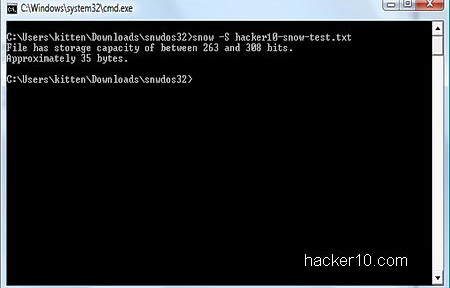
    SNOW is a free program to hide messages inside ASCII text, for those who don’t know ASCII stands for American Standard Code for Information Interchange, a binary scheme to represent English characters in computer language that can be read by nearly all text editors although UTF-8 is replacing ASCII as the world wide web language, ASCII is the default format to save text in Unix and DOS operating systems.

    The program is a tiny command line based utility of just 60Kb, downloadable as Windows executable or Java applet to work with other operating systems like Linux. SNOW comes with a manual listing the available commands and real examples. Do not be scared of the command line, it is not hard to use. The source code is also available for download so that others can review it.

    SNOW ASCII text steganography tool
    SNOW ASCII text steganography tool

    SNOW steganography takes advantage of white spaces found in text messages and hides invisible text inside them, this keeps the visual embodiment and does not raise any suspicious to watchful eyes. Security is heightened with compression to fit more text inside the white spaces and text encrypted with ICE, an open source symmetric 64-bit block cipher designed by the same author to withstand cryptanalysis and guard from detection.

    This is a superb unexpected way to send secret messages to other people with the only downside being that, unlike messages hidden in photos that can be distributed uploading them to public online photo albums, you can not copy and paste steganographic SNOW text messages on a website because the data is hidden inside the white spaces. You will have to necessarily send the full ASCII file text to your contact, revealing metadata, like who is talking with who. But you could upload an innocuous compressed file, e.g. video, with ASCII text instructions included and hide the message inside the text white spaces, this would waive the need of emailing anybody and it would not ascent mistrust.

    SNOW has been around since the nineties and has recently been released under the Apache license, it is a very well documented tool with technical cryptanalysis information about its design as well as benchmarks.
    Visit SNOW stego homepage

  • Encrypted video calls, group chat, notes and files with VIPole

    Encrypted video calls, group chat, notes and files with VIPole

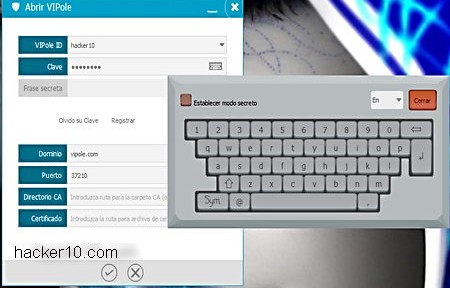
    VIPole is a Windows, Linux, Mac and Android security suite providing encrypted file sharing, VoIP, video chat, notes, passwords and organizer. Installation is straight forward and it only requires you to provide a valid email address where you will receive a verification link, select the local folder where data should be stored and move your mouse around to generate entropy to create your private encryption key. You will have to cook up two passphrases, one to encrypt your data and another to encrypt your profile, the software makes sure that you do not reuse them but there is no strength meter. A virtual keyboard can be used to stop keyloggers.

    To be able to encrypt files in your hard drive you will have to temporarily disable your antivirus and install some drivers, I also had to disable the antivirus to update VIPole software client, I am using AVG, most modern antivirus programs will allow you to disable it for only a few minutes, this should not be a big problem as long as you trust VIPole not to do anything unacceptable to your computer.

    Encrypted messenger and video calls VIPole
    Encrypted messenger and video calls VIPole

    Encryption keys are managed exclusevly by the user, VIPole has no way to decrypt your data, calls and chats are end to end encryption with AES256/RSA 4096 bit keys and no central server that could be wire tapped, the company pledges that there is no backdoor. You can see an “History” tab in the program, chats logs can be accessed there but the data is only held in your computer and nowhere else, even then, that data is encrypted (premium version) when you close VIPole, losing the laptop will not reveal private logs without the proper password.

    Another nice feature is being able to set up a fake passphrase in case you are forced to disclosure it. Helpful in countries like the United Kingdom where you must reveal your password to the police when requested or risk criminal prosecution, but giving to the police a password to a fake encrypted container would also break the law if they find out, so not really recommended. I just could not see any other applicability other than bypassing airport staff opening up your laptop.

    I was really impressed with VIPole easy of use interface, the well organized tabs make it painless switching in between functions and information is clearly displayed in a nice clean layout with avatars that help you identify the caller and shift from the chat to notes or file manager window in no time.

    VIPole encrypted calling options
    VIPole encrypted calling options

    The only thing that made me feel unease about VIPole, besides not being open source, is that although calls do not go through their servers, passwords, notes, reminders and files are kept in VIPole servers,the reason for this is to be able to sync the data with your mobile device. It would have been valuable to have the choice not to sync data and keep everything local for those paranoid about cloud security. The good news are that it is impossible for server administrators or anybody breaking into VIPole facilities, to have access to the data in plain text, everything is encrypted with your private encryption key before leaving your device, this means that VIPole can not be compelled to produce a copy of your data even if they wanted to.

    This company security model really cares about users privacy and they should be praised for being very open about how data is stored and how they are protecting it, the company has plenty of information about their security model and businesses can get their own server to make sure that they are always in control of everything.

    I found the free VIPole plan good enough for home users, the paid version buys you more features like auto logout when idle, extra file storage space, encrypted virtual drive on desktop client and other elements that are nice to have but not a must have.

    Visit VIPole homepage

  • Linux Parrot OS for hacking, security and anonymity

    Linux Parrot OS for hacking, security and anonymity

    Parrot OS is a live and installable operating system based on Debian Linux and targeted at penetration testers and people interested in online anonymity. The nearly 2GB DVD download integrates professional and beginner computer security tools inside the MATE Desktop environment, a GNOME2 fork

    Booting can be done in forensic mode, listed as Stealth, to avoid modifying any file in the host computer, live, live fail safe or with a graphical GUI to install the operating system in your computer, visually impaired people can use a speech synthesis installer.

    Parrot OS default username is root with password toor easily changed after logging in. The distribution homepage has a Wiki but at the moment it only contains basic information for newbies about how to boot from BIOS or burn the distribution to a USB thumbdrive. However, if you are familiar with Linux you should not have to read too many tutorials, the tools included in Parrot OS are the same ones found in similar pen testing distributions like Kali or BackTrack Linux.

    Linux penetration testing Parrot OS
    Linux penetration testing Parrot OS

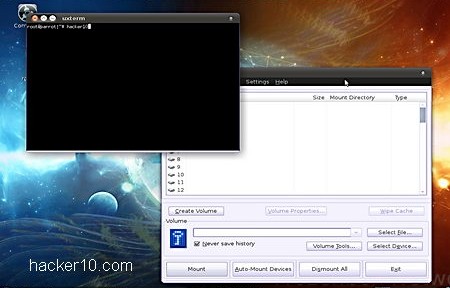
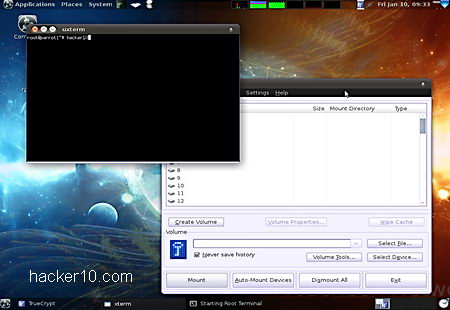
    Some useful tools for privacy activists found in Parrot OS are Truecrypt to encrypt data, Bleachbit to erase Internet tracks, although if you run the live DVD this will not be needed, and the Iceweasel browser running with Tor, with Vidalia providing a graphical interface to manage the Tor network, showing consumed bandwidth, nodes you are connected to and message logs.

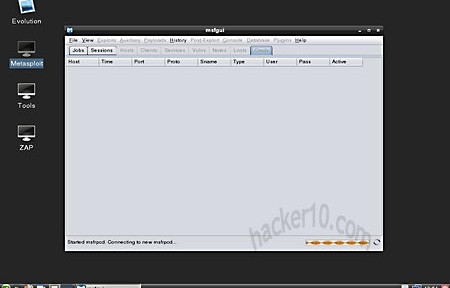
    Tools for penetration testers include packet sniffer Wireshark, man in the middle attacks with the Ettercap suite and an md5crack to brute for passwords out of captured md5 hashes. A screenshot and desktop recording utility is able to document all you do.

    Practically all of the hacking tools are found under the Parrot menu, dozens of programs nicely classified under descriptive activities such as “Information Gathering” ; “Sniffing/Spoofing“; “Wireless Attacks“; “Reverse Engineering” and many others with a submenu are all easily accessible.

    Although this distribution is being advertised as anonymity and penetration testing in one, I believe that it is mostly suitable for pen testers, those who want anonymity are still better off with Tails. Parrot OS is similar to Attack Vector Linux, packing powerful penetration testing tools with Tor to hide who is using them. On the other hand, any sys admin worth his salt will be blocking all Tor proxies from accessing the network.

    Computer forensics can also benefit from Parrot OS, as it has a dedicated “Forensics” menu with carving, hashing and imaging tools together with reporting tools to manage evidence and a forensic boot that will not modify data. You can find this distribution to be a sound alternative to BackTrack.

    Visit Parrot OS homepage

  • Bitmail, encrypted friend to friend email without central server

    Bitmail, encrypted friend to friend email without central server

    Bitmail is a decentralized open source email gateway that stores email messages encrypted offline and includes a secure IRC gateway for real time online chat. You can connect to the developer’s IRC channel from within the client.

    Email communications are secured with libgcrypt, a GPG cryptographic library, and AES over SSL. There is no need to install the client, it can be run as portable. As soon as you launch it you will be asked to enter a password with a minimum of 16 characters, this will be used to create your private encryption keys. Make sure not to forget it like me, because you will be locked out of Bitmail the next time you launch it, with all tabs greyed out.

    The same email client allows you to operate an IMAP capable BitMail server to relay messages to other people, running a server requires lots of configuration and it is not easy. Bitmail interface is well structured and tabbed but you will have to be familiar with encryption terms, there are lots of things that can be customized, like encryption algorithm, itiretation count, RSA key size and even salt length. This is not an email client for beginners.

    Secure P2P email client Bitmail
    Secure P2P email client Bitmail

    You will need to manually add the encryption keys from the people you would like to communicate with in the address book, encryption keys will have to be exchanged via different channel, like messenger. Once you have the participants encryption keys and your IP has been added to the list of allowed senders in the Bitmail server, anyone in the group is able to securely exchange messages.

    Bitmail darknet approach where there is no central authority that can be compromised and only those who know someone in the group are allowed to join in is the right approach against NSA state surveillance but I did not like that there was no anonymity in the network.

    Your computer IP could be traced if anybody in the darknet is eavesdropped with something as simple as a trojan horse. P2P email services should have built in mechanisms to stop the compromise of a single user from spreading to the other people in the network and Bitmail does not accomplish this.

    I liked that Bitmail is open source but due to the complicated set up and lack of anonymity I don’t think it is something I will be using. If you only need privacy, it might fulfil your needs, specially for intranet communications.

    Visit Bitmail homepage