Strongbox is a The New Yorker magazine tool to anonymously submit files and messages to journalist using the tor network, the project was put together by political activist Aaron Swartz, who died a few months ago, and Kevin Poulsen. StrongBox code is called DeadDrop and eventually will be released as open source for news agencies and particulars to implement as they wish. DeadDrop software runs on a hardened Ubuntu environment, it includes set up instructions and scripts, the code is written in Python, accepting document submissions and encrypting them with GPG for storage it then creates a random codename to be able to get back to the submitter anonymously without using email, there are three servers to anonymize the submission process one of them is public containing the interface, another server stores the encrypted messages and the third server monitors the other two for security breaches.
StrongBox anonymous document leak DeadDropWiki
The New Yorker public server is also using a plugged in USB dongle to strenghen encryption entropy helping create a pool of random numbers, their journalists use a VPN to download the encrypted data on to a USB thumbdrive, the information is decrypted using a laptop that has no Internet access, to avoid malware infection, and running a live CD to keep temporary files out of the computer hard drive and make data recovery impossible, GPG private decryption keys are contained in a different USB thumbdrive also plugged in the same laptop prior to viewing the documents. It is a smart set up that makes it impossible for a New Yorker journalist to learn the submitter computer IP so they can not be compelled to reveal something they don’t know. The only missing thing is a metadata scrubber, if the documents you are passing on contain metadata, and most government and company files do, the original leak source could be found out, you should use BatchPurifier first to get rid of hidden data before submitting any file.
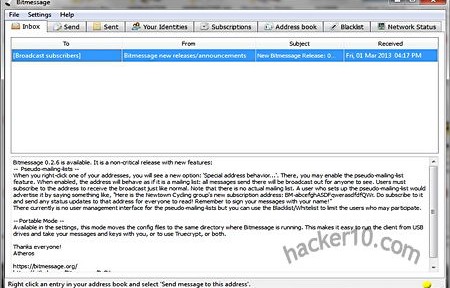
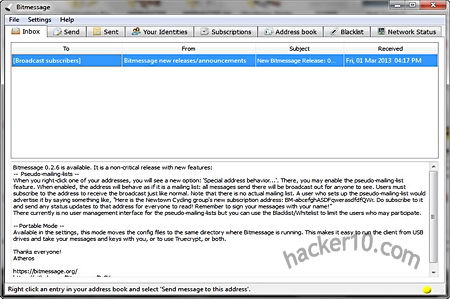
Bitmessage is an open source P2P program utilizing a Bitcoin like protocol that instead of sending money sends anonymous encrypted messages to one or multiple people at once, the application has a portable mode that does not need installation, it uses 2048-bit RSA encryption keys stored inside a keys.dat file which can be opened with any text editor and OpenSSL for cryptographic functions. Bitmessage cryptic addresses closely resemble a Bitcoin address, the best part is that both keys are compatible, Bitmessage uses the other part public key to print their Bitcoin address in the console which can be used to send them money.
Bitmessage sends data over its own P2P network, the nodes store messages for two days before erasing them, new nodes joining the network will download and broadcast the pool messages from the last two days. To stop spam the sender is required to spend computational processing power for each message he sends, modelled like the Hashash antispam scheme and the Bitcoin mining system, the protocol has been designed to be scalable as needed. I sent a small text message to a friend and it only took a few seconds of wait for it to be processed, a “Doing work necessary to send message” warning will be displayed while you wait and your computer CPU works, I also subscribed to an open Bitmessage mailing list using the subscription tab by simply adding the address “BM-BbkPSZbzPwpVcYZpU4yHwf9ZPEapN5Zx”
Bitmessage anonymous encrypted messages
Other tabs in the program allow you to blacklist and whitelist addresses, add contacts to your address book broadcasting to everyone listed there or selecting just one contact, the tabbed system makes Bitmessage usage spontaneously easy, you can also change the default listening port “8444” and network settings entering a Socks proxy, only the key management was very primitive, it opened up Bitmessage keys using Notepad.
You can create as many Bitmessage addresses as you like, creating and abandoning them is encouraged, there is an “Identity” tab from where to manage your addresses, they can be labelled. Addresses can be generated using random numbers or a passphrase, called “deterministic address“, you can recreate this address on any computer from memory without having to back up your keys.dat file as long as you remember your passphrase but you will need to know the passphrase to recreate the keys if you lose them, you will also need to remember the address version and stream number, choosing a weak passphrase could result in a brute force attack and your identity stolen, deterministic addresses can be made one or two characters shorter spending a few extra minutes of computational processing power, these addresses are optional, I believe the random cryptic addresses to be more secure for those paranoid.
Bitmessage encrypted mailing list
Bitmesssages are first encrypted and then sent to a common message pool shared by all users to hide sender and receiver, only those listed in the receiving address will be able to decrypt and read them, the program has been designed to only send text without any attachments, I did not test it but theoretically it should be possible to send a jpeg photograph. After erasing a message there is no trash can to retrieve it but it will still be present in your hard drive to manually view it with a bit of work.
I used Bitmessage with a VPN and I did not experience any problem besides a coloured network status code that turned yellow indicating that my firewall or router couldn’t forward TCP connections, this is not a big problem, it only meant that my node was not relying messages to other nodes for other people but I could still receive and send them, as long as someone in the network has the green network status messages can be passed on in between peers.
Note: The sofware is currently a beta release in testing.
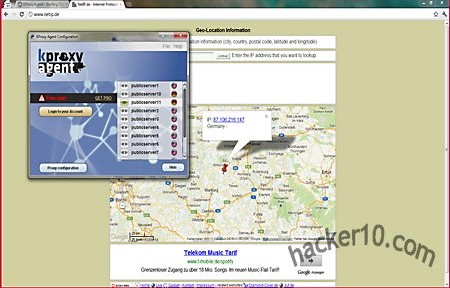
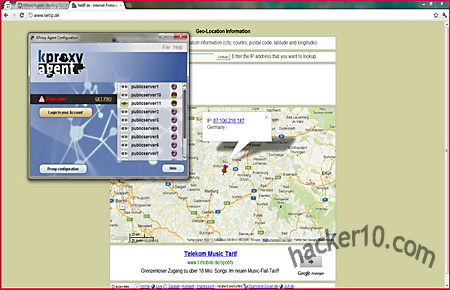
KProxy Agent is a Chrome based portable browser that comes preconfigured to handle HTTP requests through one of the free KProxy network of IPs to bypass Internet filtering. People using public computers at work and college will find it useful to access Facebook, YouTube and other typically blocked entertainment sites. The browser runs in Incognito mode by default (known as Private Browsing in Firefox). Chrome Incognito mode executes in RAM memory and does not store browsing history, cookies or cache in the hard drive, browsing traces will be gone and non recoverable after you close KProxy Agent, the developers claim that proxies encrypt data in between the browser and the sites you visit, any passwords or email you send can not be intercepted by anyone listening in, which makes this tool suitable for security in public Wi-fi access points.
The speed tests I carried out on the free proxies gave me around 2MB-4MB, this is enough to watch online TV, taking advantage of this I managed to bypass geoblocking filtering and I was able to watch Hulu from outside the US without problems, unfortunately the ping rate wasn’t so impressive and browsing Internet sites at times it felt slow, I solved it by choosing a different proxy server closer to home.
KProxy Agent portable proxy browser
KProxy Agent has been developed in Java, it will not work if this is not installed. Java has had numerous security problems in the past but it benefits from being multi platform, this portable browser will run in Windows, Mac and Linux or any other OS that has Java installed. Switching in between proxies can be done in a matter of seconds within a couple of mouse clicks but only US and German proxies could be found in the proxy list. KProxy Agent could benefit of a more detailed proxy information, instead of having ten different public proxies with the American flag next to them they could point out where exactly in the US each proxy is located, East or West coast and enumerate server load for each one of the proxies so that the user can choose the best one.
It seems that KProxy Agent developers intend to make money with this program by getting people to upgrade to their faster premium proxy service, you will find KProxy Pro mentioned around but in a non obstructive way, if you only use an Internet censorship bypass tool occasionally the free version is just fine, you only need to trust KProxy owners with your data just as it happens with all other proxy or VPN services.
AnonTwi is an open source project to encrypt Twitter and Identi.ca public and private messages hiding the poster’s computer IP. The program interacts with Twitter API using SSL, which stops ISP eavesdropping for certain keywords, connection to Twitter servers can be anonymised with a socks or tor proxy and sending random HTTP header values. Long messages that do not fit in a single Tweet will be split, decryption of URLs and raw data is automatic for anyone using AnonTwi client, messages can be stored in your hard drive, even if Twitter deletes the account you would still be able to read the messages.
Encryption is performed with AES and SHA1, meant to be uncrackable if implemented correctly, since AnonTwi source code is available for download it can be checked for hidden backdoors and coding quality.
AnonTwi anonymous encrypted Twitter messages
Other privacy options include the possibility of sending fake GPS geolocation to appear that you tweeting from a different country, the client can be instructed to insert a random GPS value with each tweet, another choice called “suicide” will attempt to delete all of your tweets, private messages and close your account. AnonTwi supports UTF-8 and Unicode characters to write in Arabic or Chinese and post symbols with detailed colourful outputs, it works in Windows, Mac OS and Linux. Originally released as a command line only tool, it now has an interface that goes with it. You will need to get a Twitter API before you can use AnonTwi, this is not difficult, anyone can open a Twitter developers account and retrieve the API tokens with tor.
Normally you would want as many people as possible to read your Twitter messages, it is probably best to use this tool to simply hide your computer IP when posting public Tweets and keep the encrypted option for private messages only. The other part will need to know a previously agreed password before he can read encrypted communication.
Whonix is an anonymous operating system based on Virtual Box, Debian Linux and tor proxy, Whonix consists of two virtual machines, one dedicated to run a tor proxy acting as a gateway and the second one called Whonix-Workstation located in a completely isolated network.
The system has been designed to make IP and DNS leaks impossible, not even malware with root access will be able to find out your computer IP, all Internet connections are forced through tor, including applications that do not support proxy settings, this is done using the firewall settings. It is possible to use Whonix with a VPN or SSH tunnel if needed, hardware serial numbers are also hidden. Any operating system able to run VirtualBox can run Whonix, this includes Windows, Mac, Linux, BSD and Solaris.
Disadvantages of running Whonix are that it will be very slow to update your operating system though tor, it is more difficult to set up than the tor browser bundle and your computer should have a good amount of RAM and modern CPU to run VirtualBox. Whonix advantages are that unlike an anonymous live CD like Tails or Liberté Linux data will be available after reboot due to persistent storage, you can install your favourite software packages using Debian’s packaging tool apt-get, the applications will be torified straight away, you can also save virtual machine snapshots saving a clean one for data recovery if needed.
VirtualBox setting up Whonix operating system
Many Whonix default applications come configured to avoid fingerprinting, GPG software for example will not reveal your operating system version and XChat comes with the default torified set up as described in the tor project Wiki.
In countries where you can be forced to disclosure your full encryption password Whonix can help with plausible deniability if you hide the .ova virtual machine file inside a hidden encrypted container with Truecrypt or store the virtual machine inside a fully encrypted USB thumbdrive that will look like random data to forensics software.
jTorchat, standing for Java Torchat, is a rewrite of Torchat, a decentralized anonymous P2P messenger that works over the tor network. Being written in Java means that the code is easily carried across platforms, jTorchat should work in any operating system that has Java installed (Linux, Windows, BSD, etc), it can be used in portable mode but my Windows7 OS asked me for administrator rights to grant access to Java and allow the application through the Windows firewall, it will possibly won’t work in computers where you do not have admin rights (i.e. library, internet cafe).
Anonymous Internet chat jtorchat
The settings allow you to change language interface, make links clickable, sync your buddy list and automatically start file transfers saving them to the Downloads folder, the rest of the messenger has expected basic features consisting of announcing status as away or online, adding contacts, request buddies, blacklist people and what they call “Holy contact” which means whitelisting someone, a flashing message on the Windows taskbar will warn you everytime someone joins the chat.
At the moment there are no chatrooms but you can easily interact with other people who have marked themselves as online or broadcast a message to a whole group marked with an specific hashtag, like #linux, #torchat-help, #public, #privacy. It is also possible to use other chat commands like /nick or /help and retrieve a webpages from your buddy using the /page command but there is no support for images or html, only .txt.
JTorChat settings
All users get a unique alphanumeric string randomly created by tor, based on the .onion address of a hidden service, this string is used to communicate with your buddies so that tor knows where to send the messages. jTorchat local port can be changed to any unused one and it can work with obfsproxy, a tool hiding the nature of the traffic to circumvent tor proxy blocking at ISP level by some countries.
There wasn’t too many users when I visited jTorchat but they are relatively new and as the tool is better known it could change, something to be aware of is that you will still be browsing the Internet with your home IP, jTorchat will only route through the tor network your online chat session, be very careful if you click on a link posted by someone else in the chat.
Tor-ramdisk is a tiny Linux distribution (5MB) developed by the IT department at D’Youville College (USA) to securely host a tor proxy server in RAM memory, it can run in old diskless hardware and it will stop a forensic analysis from people stealing or seizing a tor server. In the event that a tor server is seized due to ignorance or calculated harassment, and it would not be the first time, the end user would still safe because the chained nature of the tor proxy network makes it impossible to find out someone’s computer IP by seizing a single server but other data, even if meaningless, can still be recovered, running tor in RAM is an extra security step that can help convince people that the machine is merely acting as a relay as it contains no hard drive.
When a Tor-ramdisk server is powered down all the information is erased with no possibility of recovery, the tor configuration file and private encryption (torrc& secret_id_key) in between reboots can be preserved exporting and importing them using FTP or SSH making the life of a tor node operator easy.
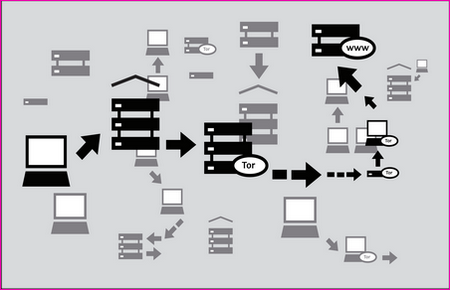
tor server proxy diagram
One disadvantage of running a tor node entirely in RAM memory is that it can not host hidden services as that requires hard drive space, other than it is a fully functional entry,middle or exit tor node. I would advise you to block all ports (USB,Firewire) in the server with epoxy, there are computer forensic tools that can be plugged into the USB port and make a copy of the RAM memory on the fly. You might have heard about the cold boot attack where someone with physical access to a recently switched off server or computer can still retrieve data remanence from RAM memory, this is not easy to achieve and the recovery timespan is comprised of a few seconds.