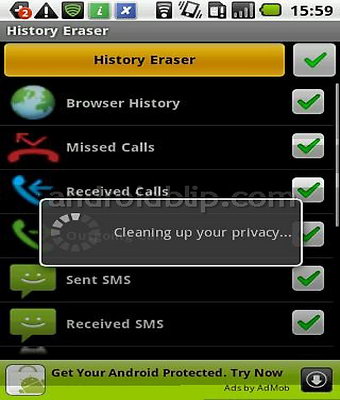
This Android phone privacy app will clear your smartphone data with a couple of clicks, it can be configured to erase just a few logs instead of all of them, in one of the screens you select what needs to be erased, on the other you confirm you want the data gone, and that is it, a very easy to operate app that will not only protect you from data leakage if someone access your Android phone without your authorization, it will also gain extra space and free memory.
Android app History Eraser
Clearing up your mobile browser cache can also help making websites to work, by clearing the cache you are forcing a re-download of the data instead of using the cached stored files which might be have been corrupted, History Eraser does not need root to operate. The Android phone History Eraser app can delete your search history, call logs, SMS text messages, clipboard, apps cache files, frequently called list, market search history, Google Map/Gmail/Youtube search history.
If you want to clear Android Phone cache manually: Settings>Applications>Manage>Market>Clear Cache
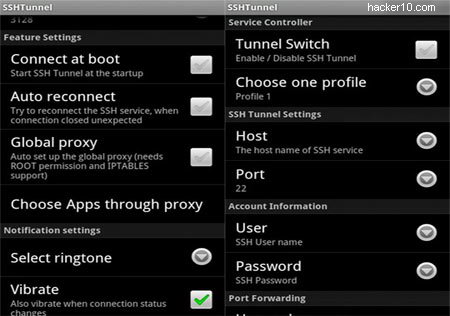
You can surf the Internet anonymously using your Android phone installing this free open source app called SSH Tunnel, besides hiding your Android IP for privacy, if you live in China or any other country that censors the Internet, the SSH Tunnel will get around the filter.
SSH Tunnel app has a very easy to use interface, you can create profiles and separate networks using different SSH settings, if you are concerned about privacy you can enable traffic tunneling of all of the installed Android apps (with root access), if you don’t have root access you can still configure single apps to proxy the data transmission, Internet browser being the most obvious.
Android app SSH Tunnel
This app will work everywhere, but it has been designed with the intention to help people in countries with Internet filtering to get around it and it comes with a DNS Proxy to solve the DNS Pollution problem in China, it can also be used by people from outside the USA to listen to restricted music sites like Slacker Radio or Pandora, only available in North America, all you need besides this app is a SSH proxy server provider, most proxy services nowadays only offer VPN, there are few SSH tunnel providers left, one of them is VPNSecure, alternatively just get a shell account that allows SSH tunneling.
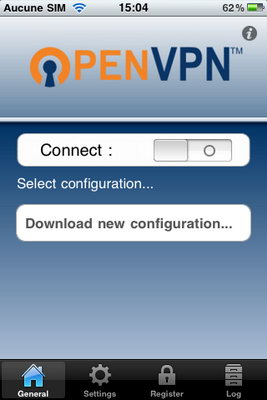
GuizmOVPN is an OpenVPN GUI for the iPhone, it has designed to be easy to setup, configure and run, a background daemon runs the tunnel. GuizmOVPN is a premium paid for applet and it includes a 7 day trial period.
Unfortunately this applet can not be found at the official App Store and it requires a jailbroken iPhone, the reason why it can be found at the App Store is that GuizmOVPN needs to use a background process to keep the VPN tunnel active when the GUI (Graphical User Interface) is closed as well as running external commands to modify the network configuration.
GuizmoOVPN iPhone VPN applet
Note: Jailbreaking your iPhone is not condoned by Apple and it will invalidate your iPhone warranty.
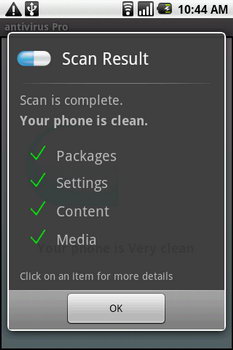
AVG Mobilation: This free Android applet will identify and clean viruses, schedule antivirus scans, check Android applets for viruses before install, lock and wipe content, and locate stolen or lost mobile phones using GPS. There is also a paid for version with even more features.
Android mobile phone antivirus
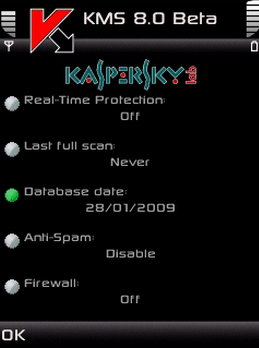
Kaspersky Mobile Security: In addition to protect your mobile device from viruses it can locate your lost or stolen mobile phone, protect your privacy and encrypt your files and folders. Kaspersky Mobile security can also block or wipe your mobile phone remotely if its lost or stolen.
Kaspersky Mobile Security
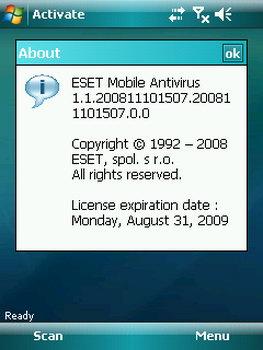
ESET Mobile security: This mobile phone antivirus solution combines heuristics, antispam and firewall to protect you in real time from malware handcrafted for mobile phones. ESET Mobile security is available for Windows 7 and Symbian smartphones.
ESET Windows Mobile antivirus
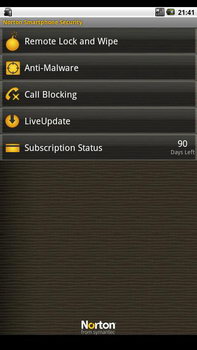
Norton Mobile Security: This smartphone antivirus will protect you against annoying unwanted calls and messages as well as the usual mobile device loss and theft protection. It can lock your smartphone remotely if this has been stolen and the security software itself it is light, fast and easy to use.
Norton Mobile Security
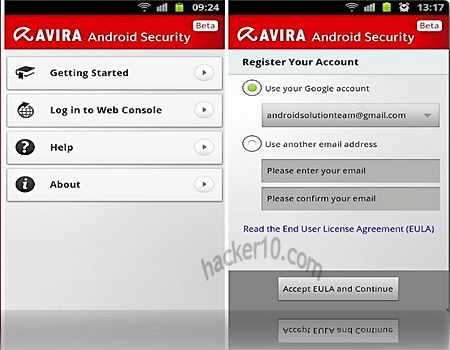
Avira Android Security: Android security suite with location tracking, remote wipe and lock, owner notification when the phone is lost, whoever fins your smartphone only has to tap a button to contact you on another number, device administration that checks the battery and gives you hardware information about your smartphone.
Avira Android security suite
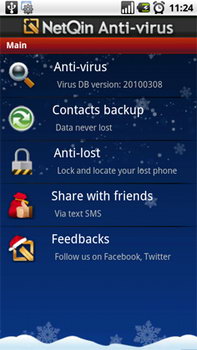
NQ Mobile Antivirus: Multiplatform mobile device antivirus that works in Android, Windows Mobile and Symbian devices, full protection against viruses, malware and trojans. It also protects your privacy.
NetQin smartphone antivirus
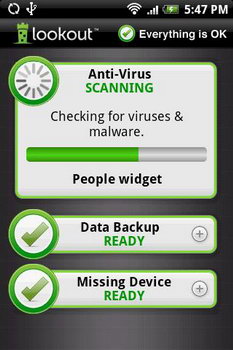
LookOut Mobile Security: Multiplatform mobile antivirus for Windows Mobile, Android and Blackberry. LookOut mobile antivirus free edition will protect you against viruses, malware and spyware as well as back up your contacts, a more advanced premium edition gives you remote mobile phone locking capabilities.
LookOut Mobile Security antivirus
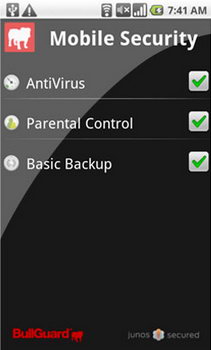
BullGuard Mobile Security: Complete smartphone protection against viruses, spyware and digital fraud. BullGuard Mobile Security supports most mobile phone brands and includes GPS mobile device tracking in case of losing it.
Kryptos is a premium iPhone applet to encrypt your phone calls, the company behind it is planing on launching Kryptos for Android in January 2011 and Kryptos for RIM (Blackberry) in February 2011. This encryption mobile phone applet is very easy to manage and it will provide you with sound secure voice communications for a very reasonable price, Kryptos will work over any network, including 3G, 4G and Wifi.
After the user has downloaded the Kryptos iPhone applet from iTunes on their iPhone he needs to activate the account with Kryptos. Each user receives an individual ID, calls using the Kryptos applet will be secured using peer-to-peer encryption, the initial symmetric encryption keys exchange is made using 1024-RSA and after that calls are routed with AES256 encryption.
Kryptos mobile phone call encryption
There are no backdoors in this encryption applet, your encrypted conversation cannot be decrypted by anyone other than the two parties participating on the Kryptos call session and the company does not keep any logs of the calls made, your phone applet will keep a record of call logs locally but they can be easily erased.
Note: Kryptos is not free and it requires a monthly fee.
The Android operating system allows for great customization due to its open source nature. If you own a smartphone that runs Android you will want to take care of your personal privacy and security, smartphones can store lots of personal data, you should be using encryption and anonymous proxies on the Android as well as your desktop computer.
Free Android security applets for encryption
TextSecure (Free): All text messages sent or received with TextSecure are stored in an encrypted database on your phone, and text messages are encrypted during transmission.
APG (Free): OpenPGP for Android is open source, it helps you manage encryption keys (GPG/PGP) and encrypt/sign/decrypt emails/files.
OI Safe (Free): Store password securely using the AES encryption algorithm, encrypt OI Notepad notes and it support the premium Obscura picture safe to encrypt pictures on your Android smartphone.
CipherLog (Free): CipherLog™ is a simple journalling software that encrypts your entries, enabling you to store sensitive data on your device.
Password Safe Lite (Free): Keep your Android passwords and confidential info safe using 128bit AES.Encrypted information will be stored in a database on the phone and no information is kept online, the database can be backupby exporting it.
B-Folders (Free): B-Folders is a secure fully encrypted database password-based 256-bit AES algorithm where to keep passwords, trade secrets and financial info. With its sync technology you can sync all your phones, desktop and laptop computers.
Keeper (Free): It allows you to securely store all your secret information such as logins, passwords and financial info using 128-bit AES encryption.
PGP manager encryption Android
Premium Android security for encryption
OpenPGP Manager (€/$): PGP & PBE encrypt & decrypt, sending encrypted email using the Android OS, creation of PGP keys, Symmetric encryption and decryption (password-based) with selectable algorithms.
MyStash (€/$): MyStash encrypts sensitive files you use on your Android device, this Android encryption applet secures your files using the TripleDES encryption algorithm. Photos and movies become viewable only by entering a pre-selected 4-digit pin.
Password Juggler (€/$): Android app to safely store all those hard to remember passwords for quick easy access. Password Juggler uses the 128 AES algorithm to securely store your passwords.
Android anonymous communications
Orbot (Free): Orbot allows mobile Android users to access the web, instant messaging and email without being monitored or blocked by their mobile internet service provider. Orbot integrates the tor proxy to the Android mobile operating system.
Android NewsGroup Downloader (€/$): Smartphone Usenet newsreader handling all type of newsgroup attachments, it supports posting of binaries and SSL encryption. You will need a newsgroup provider too.