Category: Mobile Phone

Mobile phone security

  • Blackphone, a smartphone with encryption designed to stop the NSA

    Blackphone, a smartphone with encryption designed to stop the NSA

    A new smartphone designed to be secure by default is in the works by a joint venture in between PGP’s creator Phil Zimmerman company, Silent Circle and the first Firefox OS mobile maker GeekPhone.

    Full details will be released next month at the Mobile World Congress in Barcelona but initial technicalities made public in the press release point towards a smarphone running a custom open source Android operating system called PrivatOS, able to make secure voice or video calls and send secure text messages or files and store them, there is also mention of a VPN, this should stop data packet sniffing when surfing the Internet on the mobile phone.

    Blackphone security could be defined as secure hardware, custom OS and security applications. I would imagine that Silent Circle’s own software security suite will have a role to play in securing Blackphone communications.

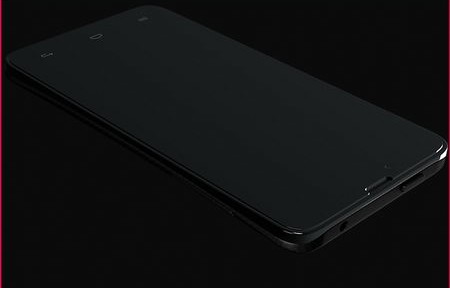
    Secure smartphone with encryption Blackphone
    Secure smartphone with encryption Blackphone

    The good points of what it is known so far are that one of the people behind the company developing it is Phil Zimmerman and he does not come across as the kind of person who would sell people’s privacy to the NSA. The second good point is that hardware security will be taken into account, the third good point is that the project will be open source, at the very least PrivatOS, not sure about hardware, and the fourth good point is that Blackphone will be unlocked and not tied to any carrier.

    Blackphone’s bad point of what it is known so far, is that it has been named as a high end device, the price will likely be out of the reach for ordinary people.

    For those of you who can’t afford to pay businessman prices for a secure smartphone, I would recommend you to get an Android phone that is supported by Cyanogenmod, a forked version of Android without all the spyware that Google embeds in Android phones.

    Wipe Android OS for good when you have the device and install Cyanogenmod, open a fake Google Play account, which I only managed to do with a Chinese proxy as attempting to do so with a USA IP made Google insist on verifying the account using a mobile phone number. Download Orbot, a Tor proxy to surf the Internet, Redphone to make secure calls and ChatSecure to encrypt real time chat conversations. All of the applications named and Cyanogenmod are free. Your phone could not be as pretty as the Blackphone but it will be secure enough to fool well funded adversaries.
    Visit Blackphone homepage

  • How to stop the NSA from tracking your mobile phone calls

    How to stop the NSA from tracking your mobile phone calls

    The latest documents leaked by Edward Snowden, called “Spain last 30 days“, show that in a single month the NSA illegally spied on 60 million phone calls in Spain. Further details reported by the press mention that although calls were not recorded, location, dialled number, call duration and mobile phone serial numbers were all looked at by the NSA.

    Based on that one can figure out that if the NSA was looking at mobile phones serial numbers they must have a way to link those numbers to people.

    Mobile phone serial vs IMEI number

    There are two kind of mobile phone serial numbers, IMEI (International Mobile Station Equipment Identity) and IMSI (International Mobile Subscriber Identity).

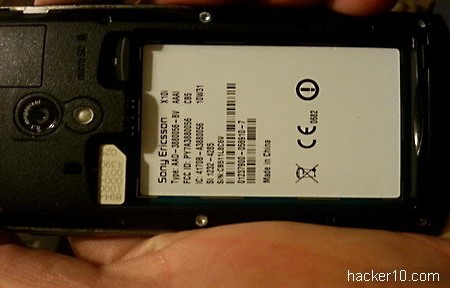
    Mobile phone serial number and IMEI
    Mobile phone serial number and IMEI

    IMEI numbers are embedded in the device, it will be displayed if you type *#06# on your dialpad, forming 15 or 16 digits, the software version called IMEISV contains 16 digits.

    The first 8 digits of an IMEI number identify the model and phone’s origin, the remainder numbers are defined by the manufacturer and could be anything they want.

    IMSI numbers contains 15 or less digits and they are embedded in the SIM card, the number is constantly send by your mobile phone to the network provider, enabling mobile phone companies to trace the phone using a technique known as triangulation. Tracing will work even if you don’t have GPS in your phone, triangulation relies on mobile phone network towers to locate you.

    The first 3 IMSI digits contain the country code, followed by mobile network code and other numbers show subscription details.

    For example if you go abroad the IMSI number will be used by the network to connect you to the foreign company that has a roaming agreement with your home network provider.

    Both IMEI and IMSI numbers are transmitted to mobile phone companies. There are devices that can change a mobile phone IMEI number but in some countries like the United Kingdom this is illegal alleging that it hinders mobile phone theft investigations.

     Stopping NSA metadata collection

     With leaked documents showing that metadata is the main element used to flag calls by the NSA grid, using a calling card would should stop them from seeing the final numbers you are dialling, buying calling cards from a non USA company should add privacy.

    It is probably rational to assume that the NSA knows about the calling card problem and receiving and making lots of calls using them with the same phone could raise a red flag in the system and mark you for further attention. Combining calling cards with different phone lines would be then a good idea if possible.

    Another way that might fool NSA metadata collectors is by using a virtual phone number service like FlyNumber, where two people from Africa could communicate with each other using USA local phone numbers that are then forwarded to the phone of their choice or VoIP. Make sure it is not Skype, past documents showed that Skype is linked to the NSA PRISM global spying program.

    As for stopping location tracking, opening your phone and taking the SIM card and battery off is the only secure way to do that. If this is too inconvenient then stick to VoIP calls tunnelled using a VPN.

  • Islamic terrorists release Mobile Encryption Program for Android phones

    Islamic terrorists release Mobile Encryption Program for Android phones

    The Global Islamic Media Front, a Jihadist propaganda arm for Alqeda, Somalia’s al-Shabaab and the Pakistani Taliban, has released an encryption program for Android and Symbian smartphones.

    Originally named “Mobile Encryption Program” it is being advertised as being able to send encrypted SMS messages and files as a way for “fighters in the frontline” to securely communicate in between them. The program is using the Twofish algorithm in CBC (Cipher Block Chaining) mode, the program is based in public key encryption and digital fingerprints can be displayed to make sure that encryption keys have not been tampered with. Encrypted messages can be exchanged in Arabic and English using up to 400 characters, one of the settings allows you to enter SMTP and POP3 hostnames detailing port numbers to send encrypted files via SSL email, it will work with any SMTP email provider.

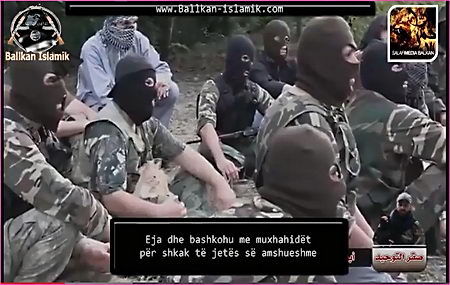
    Ballkan Islamik Media Front video
    Ballkan Islamik Media Front video

    Various terrorist groups, like Alqeda in Yemen, encourages its supporters to communicate with them using encryption programs produced by their propaganda arm.

    Global Islamic Media Front programmers have avoided the AES algorithm, a US government standard, but it is highly unlikely that a couple of guys in the bedroom can defeat the best mathematicians the NSA can hire and billions of dollars of budget available to crack it. With all of the available open source encryption program this is totally uncalled for, they could have easily saved themselves the effort, unless of course the CIA wanted them to release this tool.

    As soon as you spot that The Islamic Emirate of Afghanistan financial department is using a Gmail address and most terrorist related files are hosted in American servers, you can tell that everything is under control. However, the GIMF is highly skilled at creating amazing videos with beautiful background music and footage to recruit new members.

    The Global Islamic Media Front official download site is down at the moment but you can read the announcement at the usual jihadist terrorist NSA monitored forums, like Ansar1, Ballkan-Islamic or Shumukh al-Islam forum.

    Ansar1 announcement of Mobile Encryption Program (Jihadist forum gone)

  • Hide photos and videos in Android with Sectos

    Hide photos and videos in Android with Sectos

    Sectos is a free Android app to hide photos and videos, it is fairly easy to use. After launching the app you select the photos or albums you would like to hide and they will be moved, changing the file so that no app can recognize them as media. A camera mode will automatically hide any pictures you take right away without needing to manually hide them.

    The app unlocking code is stored as MD5 hash and photos are secured with what the developer calls a “high-secure algorithm“. I would be wary of using Sectos to hide very sensitive pictures from a resourceful attacker due to lack of app information about what encryption they are using if any. It is impossible to evaluate what they call a high secure algorithm, more specific information is obviously needed to trust something marketed as a security product.

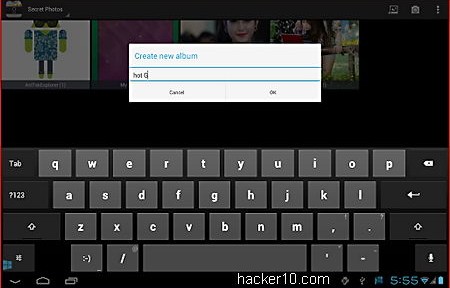
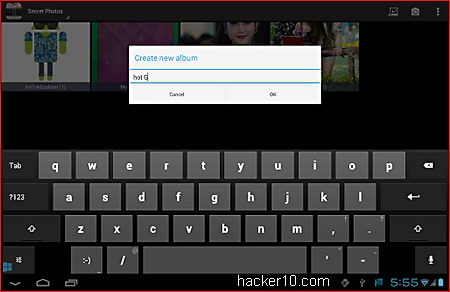
    Sectos Android app to hide photos
    Sectos Android app to hide photos

    I liked from this app that it can hide its existence by removing Sectos logo from view and the app can be locked using a PIN or pattern. This stops noisy people from looking about after coming across a photo hiding app, which is very tempting to play with for one too many. Sectos PIN number prompt only becomes visible after dialling a preset number on the phone without that nobody should be aware it exists.

    You can back you up your hidden data using the app integrated cloud storage services, Dropbox at the moment and Google Drive support planned for the future. Cloud back up can be set to automatic. If you forget the passcode, it can be reset via email link going to Settings > Privacy settings.

    Visit Sectos in Google Play

  • Cypher Bot for iPhone and iPad message encryption

    Cypher Bot for iPhone and iPad message encryption

    Cypher Bot is an encryption app for iPhone and iPad, deploying the bullet proof Advanced Encryption Standard 256 bit algorithm securing files and text. Encrypted messages can be sent via email or SMS and saved to your device with just a couple of taps.

    You can also import files directly from a Dropbox cloud storage account. The app has a very colourful interface, the default makes this security app look like a child’s interface, appropriate for encryption beginners to work their way around but perhaps maybe not so much fun for the serious kind of people, you can choose from six different themes and change it.

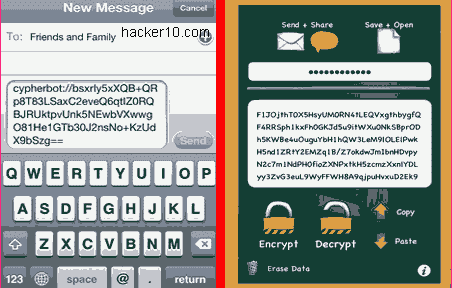
    iPhone and iPad encryption Cypher Bot
    iPhone and iPad encryption Cypher Bot

    Usage is instinctive, this is a symmetric encryption program where you have to share the password with the recipient for the other part to be able to read the files. When you send or post a link bearing the format cypherbot:// and that is tapped by someone with the app, it will automatically open with Cypher Bot, you can post those encrypted notes in any social network without message length limit.

    This is an easy to use encryption app with the same downfalls than many of its competitors. Both parts must have the app installed for message encryption to work and it only works with the iPhone, if your partner is on an Android phone you will not be able to securely communicate with him.

    I think that it would be advantageous for apps that only work on one device to have some kind of universal web interface where people can copy and paste encrypted text and read it regardless of what phone they are using, it would not be as secure as device to device communication, but it would better than forcing your friends to buy certain phone brand. On the positive side, there is a Mac OS X Cypher Bot app that is compatible with the iPhone app.

    Visit Cypher Bot homepage

  • Encrypted chat in Apple iOS with iCrypter

    Encrypted chat in Apple iOS with iCrypter

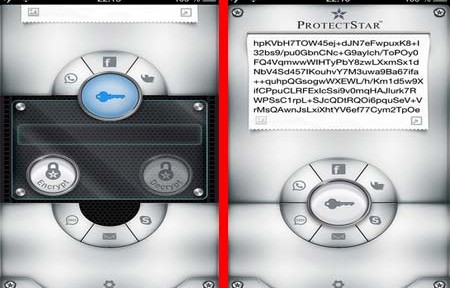
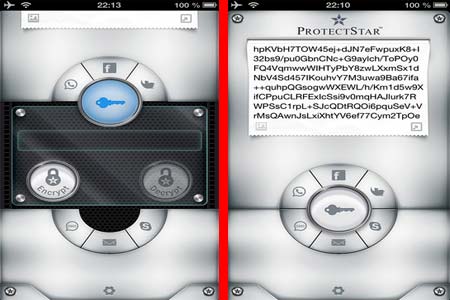
    iCrypter is a small encryption app for Apple iOS (iPhone, iPad, iPod Touch). With this app you can write or paste messages inside a window and attach any file you like, from photos or videos to documents, after that you will be asked to enter a password to scramble everything. The encrypted message can be distributed via SMS, WhatsApp, Facebook, Twitter, Skype, iMessage and the like.

    The password you used for encryption is stored in the built-in Contact Book which is also encrypted, to start a secure chat session the password is shared with other participants, when someone with iCrypter installed clicks on an incoming message decryption will initiate automatically.

    iCrypter Apple iOS encryption
    iCrypter Apple iOS encryption

    iCrypter uses symmetrical cryptography implementing the Advanced Encryption Standard 256-bit algorithm, a US National Security Agency algorithm approved to secure top secret information. Data encryption takes place in your phone before being transmitted, there is no central server that could be wire tapped to read your messages or any kind of backdoor subverting the software.

    To protect your information if the device is lost or stolen, a self-destruction function called “Fail Safe” will wipe all iCrypter content, bookmarks and settings, overwriting data with the US Department of Defence 5220.22-M E method after entering the grid application password wrong five times. The encryption algorithm source code put in action by iCrypter can be downloaded and is available for inspection.

    This is an effortless encryption app to operate, with an easy to navigate interface, the only downside is that people you communicate with needs to have iCrypter installed too and the app is not available for Android yet, a future Android release is planned for this year.

    Visit iCrypter homepage

  • Encrypt data in Android with Secret Space Encryptor

    Encrypt data in Android with Secret Space Encryptor

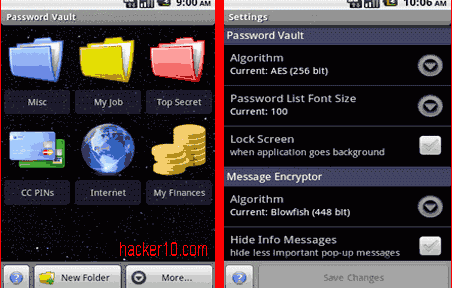
    Secret Space Encryptor is a cross platform tool made up of a password manager, message encryption to encrypt text, and file encryption to password protect photos or videos. Each function can be configured in settings to apply a different cipher algorithm, Secret Space Encryptor comes with a wide range of ciphers: AES-256bit, Blowfish-256/448bit, Serpent-256bit, Twofish-256bit and Gost-256bit.

    File encryption will preserve timestamps and associate .enc files with the utility, the password manager can classify data inside coloured folders and back everything up exporting it to an encryped .pwv file that can be later imported back or save it unencrypted to an .xml file, a standard format to import data into other applications like a different password manager.

    Secret Space Encryptor Android
    Secret Space Encryptor Android

    You will find other embedded privacy utilities like a clipboard cleaner, algorithm benchmark or customizable password generator. The software is very complete and open source, giving you some guarantee against backdoors, amazingly this free app has no advertisements or nagging screens, this a very easy to use encryption tool, the software is available for Windows, Android, Linux and Mac OS X, there is a java version of the program that runs on any OS with Java installed.

    Visit Secret Space Encryptor homepage