Category: Mobile Phone

Mobile phone security

  • Android encrypted data backup with truBackup

    Android encrypted data backup with truBackup

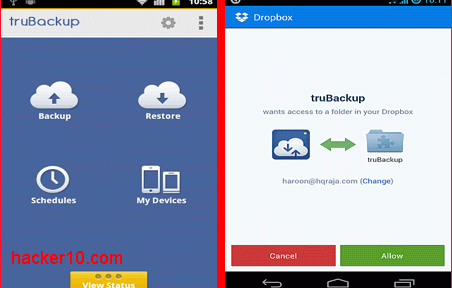
    truBackup is an Android app to backup an restore data,  it allows you to select the files you wish to copy, like contacts, SMS, applications, or media files with photos and videos. Data can be backed up to internal or external storage (SD card) or to the cloud in your DropBox account, truBackup main interface is clear and simple to use, with only four buttons to tap on its main window: “Backup” ; “Restore” ; “Schedules” ; “My Devices“.

    When you first run the app it will ask you where you would like to store the data and shown backup progress when you tap the “Show Status” bar at the bottom of the screen, you can schedule backups daily, weekly or monthly at an specified time and never have to remember again backing up your data, if you are backing up online to Dropbox, to avoid huge mobile phone bills choose the option “Wi-fi only” inside the settings.

    truBackup Android encrypted backup
    truBackup Android encrypted backup

    All data is encrypted with AES256, the app can do incremental backups, saving you time by only copying those files that have changed since the last backup, logs and reports show you what has been copied and how much space you are using, what I liked most of this app was its simple interface and being able to encrypt data prior to copying it, there are more complete Android data backup apps with built-in encryption like Titanium Backup but it is considerably more expensive.

    If you want to encrypt and back up your Android data for free you could use a cloud service like SpiderOak, but it will only work when you are online.

    Note: truBackup currently costs $2.99

    Visit TruBackup homepage

  • Encrypt smartphone calls with SeeCrypt

    Encrypt smartphone calls with SeeCrypt

    Seecrypt is a Voice over IP app to secure voice calls and text messages with end to end encryption using AES256 and the RC4 stream cipher, available for Android and iPhone with Blackberry and Windows phone versions coming soon. Data is encrypted in the device before transmission using a unique encryption key for each session, there is no central Public Key Infrastructure, messages are broadcast in real time just like WhatsApp but encrypted, the app can operate over 2G/3G/4G or Wifi networks, it only needs an Internet connection and you can not use it to dial emergency numbers. Voice compression reduces data consumption and with it your mobile phone company data charges, you do not have to pay for calls, but you have to pay $3/month to SeeCrypt and only calls to other SeeCrypt users are possible.

    After signing up you will be given a trial period and asked for your email address to register the application once it expires. SeeCrypt main screen shows you sections with your profile, contacts, messages, dialpad and help. The app does not allow multicalls, only two users can talk at the same time, you can easily send your friends a link to SeeCrypt if they don’t have it installed yet, technical requirements to operate the app are minimum.

    Encrypted mobile phone calls SeeCrypt
    Encrypted mobile phone calls SeeCrypt

    SeeCrypt is funded by a Dubai based investment firm called Porton Group, I was concerned about their privacy policy when I read on their press release that “Seecrypt will pro-actively assist law enforcement agencies to prevent criminal activity being carried out using this encryption service.“, this is not very convenient for those who don’t trust their government, and adding to that one of SeeCrypt’s advisor is Anthony Chapa, who used to work for the U.S. Secret Service, was quoted on a press release saying that “There are techniques that law enforcement and intelligence organizations have available, and with the help of Seecrypt would not impede their mission.

    I could not see the word backdoor written anywhere but I it was not mentioned that it did not have one either, and for that and because of their bizarre press release, I would stay out of this application.

    Visit SeeCrypt homepage

  • Encrypted chat for iPhone and iPad with ChatSecure

    Encrypted chat for iPhone and iPad with ChatSecure

    ChatSecure is a free iOS app for end to end encrypted chat with the Off The Record messaging system able to communicate with any chat software based on XMPP, like Google Talk, Jabber, Facebook, Oscar IM and ChatSecure in Android, it will not work with Yahoo Messenger or Skype contacts.

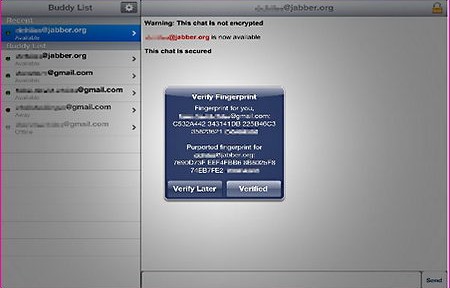
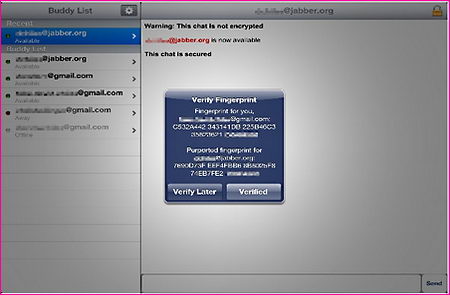
    The app settings are simple but effective, you can change chat font size, set to autodelete chats on disconnect and get a warning before automatic sign out, your friends (Buddy list) chat accounts are accessible with a single tab on the side bar, each account has a logo indicating the messaging system your they are using, when you first establish a connection you will be shown the encryption key fingerprint and ask to verify it, this stops man in the middle attacks where someone injects a fake encryption key in between you and the other end to be able to listen in.

    ChatSecure encrypted iPad chat
    ChatSecure encrypted iPad chat

    With this app there is no central server to store or monitor your data and third party eavesdropping is not possible because ChatSecure encrypts communications but you would still need to make sure that your acquaintance mobile device has not been stolen and he is who he claims to be, you also need to be aware that you are not anonymous in ChatSecure, the app will encrypt messaging but not hide the IP behind them, for anonymity add a VPN provider before starting the chat.

    ChatSecure offers perfect forward secrecy, this means that temporary private encryption keys are generated for each session so if you lose them the keys can not be used to decrypt past chat logs or linked to you.

    Visit ChatSecure iTunes homepage

  • Android and iPhone Radio Police Scanner

    Android and iPhone Radio Police Scanner

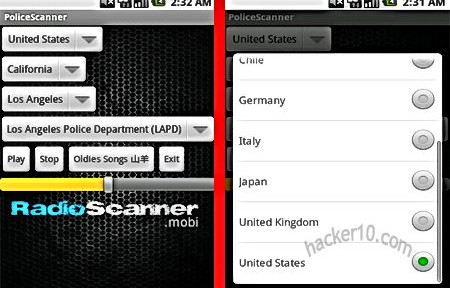
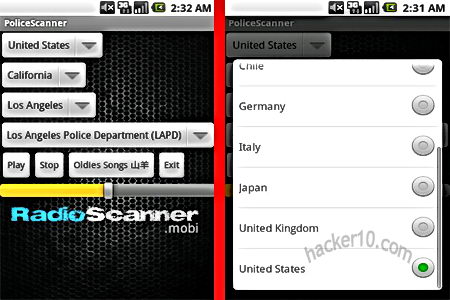
    Radio Police Scanner Lite is a free app preconfigured with a list of emergency services radio frequencies, it can listen in to firefighters, ham radio, aircraft and live police radio, each feed comes from a person owning a police scanner in that geographical zone and sharing it via the Internet. Stations are classified by region and country with a built-in emergency services code to interpret what they are talking about, you can add any radio frequency broadcasted over the web in the RSS feeds link, it will automatically reconnect to the feed if it loses connection, favourites can be pinned to the front screen and accessible with a single tap.

    There is only a delay of a couple of seconds in between the real talking and the broadcasting, you can browse the Internet while listening to a feed in the background, the only thing not guaranteed is that your country will be covered but the app is continuously expanding radio feeds, the paid for version of this app comes with thousands more of radio frequencies.

    Radio Police Scanner smartphone
    Radio Police Scanner smartphone

    Many of the radio frequencies will be silent, the best way to spot what are the most active channels is by looking at the popularity of each feed, the more listeners the more likely it is that there is something going on or talking.

    Investigation departments use encrypted radios to communicate during surveillance operations you won’t be able to listen to those, the radio will broadcast a routine police or firefighters working day. Police radio scanners are legal in many US states but is best that you check your local laws before using it as there are some restrictions like for example using a police scanner to impersonate a police officer, alternatively you can also listen to live emergency services online via your browser at Broadcastify.

    Visit Radio Police Scanner Lite in GooglePlay

    Visit Radio Police Scanner Lite in iTunes

  • Hide it Pro hides photos and videos in Android and iPhone

    Hide it Pro hides photos and videos in Android and iPhone

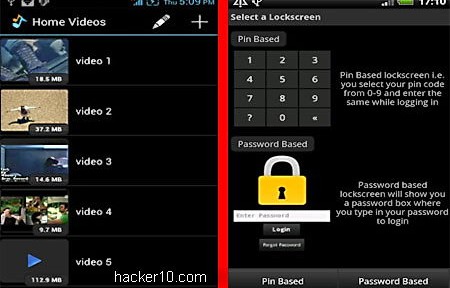
    Hide it Pro is a free app for Android and iPhone to hide pictures, videos, audio files and others. The app is disguised as a functional audio manager, anyone playing with your phone will not realise you have a privacy app installed, the icon looks like a music sound logo, tapping it will launch a menu to adjust the phone ring tone volume.

    When you run the app for the first time you will be asked to enter a numeric pin code or password to lock your screen, an email address can be linked to your account to reset your password if you forget it, it is not compulsory you do that. Using Hide it Pro interface you can select the files you would like to hide vanishing them from gallery view, encrypting the data with AES256-bit and password protecting everything, you can email files from inside the app or view a custom photo slideshow without having to move the photos outside the encrypted folder.

    Hide it Pro hides Android&iPhone photos
    Hide it Pro hides Android&iPhone photos

    Hide it Pro can set up a second escape password, leading the user to a different encrypted container that you can show to people if anyone discovers that you own encrypted data and are forced to reveal the password under threats, the escape password works like Truecrypt hidden container feature but I don’t know how safe this is from a thorough investigation, you just have to trust the developer did everything right.

    If you share your mobile phone with family members or work colleagues Hide it Pro will prevent them from discovering private images stored in your mobile phone, the app is self-explanatory, it can also be used to hide and lock other apps.

    Android Hide it Pro in Google Play

    iPhone Hide it Pro in iTunes

  • iPhone anonymous Internet with the Onion Browser

    iPhone anonymous Internet with the Onion Browser

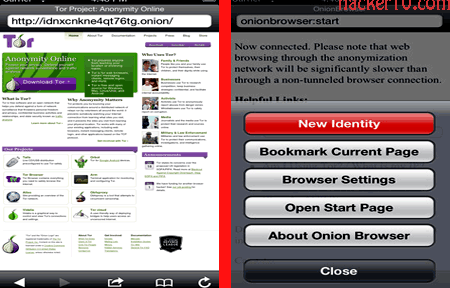
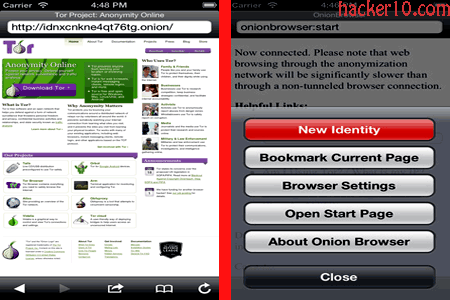
    The Onion Browser is an iPhone only browser for anonymous Internet browsing using your smartphone relying on  the untraceable tor proxy network to hide your real IP from websites you visit. The tor network can be slow at times due to the number of nodes relaying traffic and overall network load, for browsing without file downloads or video streaming speed should be sufficient, the Onion Browser also gets around firewalls if you are using a public Wifi access point that filters traffic and blocks websites and since communications in tor are encrypted with SSL any packet sniffers deployed by the Wifi network administrator will not be able to see what websites you visit, only that you are connected to tor.

    The app options include “Enable UA Spoofing” to fake the HTTP User Agent header sent to the websites you visit, it can be changed to iOS Safari to improve mobile website compatibility, or to a Windows 7 and Firefox string so that it will look like you are browsing using a desktop computer, “Cookies” can be set to Allow All / Block Third Party / Block All, a “New Identity” button will clears all cookies, history and cache requesting a new IP with a single tap, there is a way to set up bridges, unpublished tor proxy relays for those living in countries like China where tor is blocked by the ISP, setting up a bridge on this app takes some work, best if you can avoid having to apply them.

    iPhone Onion Broswer tor proxy
    iPhone Onion Broswer tor proxy

    I found the app lacked bookmarking but the startup page contains a list of well-known .onion sites that will take you where you want to go. For anyone concerned about built-in backdoors the Onion Browser source code can be downloaded from the open source platform GitHub along with technical details, the app will work in the iPad too.

    Note: The iPhone Onion Browser costs $1.50

    Visit iPhone Onion browser in iTunes

  • Android Truecrypt compatible app EDS Lite

    Android Truecrypt compatible app EDS Lite

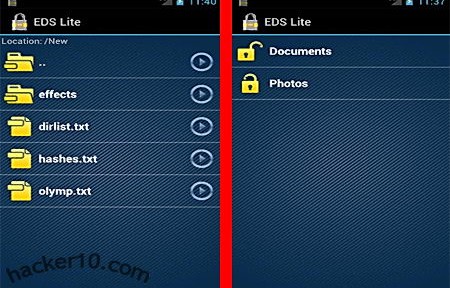
    Encrypted Data Store Lite is an Android app that allows you to save files inside an encrypted container using AES256bit, it can also mount any Truecrypt compatible container from your phone, but to do that you will have to make sure that Truecrypt settings when creating a container are set to Encryption algorithm: AES256, Hash algorithm:SHA-512 and File system:FAT, these are not Truecrypt default settings which are set to Hash algorithm RIPEMD-160, if you use a different algorithms to create a Truecrypt container then EDS Lite will not be able to mount it.

    The app comes with a simple built-in image viewer  that can show pictures and thumbnails, files with the extension .edc, EDS own format, and .tc, Truecrypt file extension, can be associated with the app for easy opening, other options allow the app to prevent your phone or tablet from going into sleep mode to make sure that an encrypted container will not be left open unattended by mistake, EDS Lite can write to an external Secure Digital storage card modifying and deleting files stored inside.

    Android Encrypted Data Storage Lite
    Android Encrypted Data Storage Lite

    A “send to” link can quickly encrypt photos or videos from the gallery, but remember that anything you leave behind if it has not been securely wiped it could still be recovered, while the encryption can not be cracked, when you view a document stored inside the container there will be temporary traces left in the external reader you used, a compromising file name and perhaps a full copy of the confidential document might have been created outside the container by a third party viewer. A full paid for version of the EDS app allows you to play media files inside the container, not leaving temporary data behind, it comes with a search index to find files inside the encrypted container, it can synchronize data with Dropbox and allows for container security using a hand-drawn pattern in succession with a password.

    It is refreshing to see attempts to port Truecrypt compatible encryption to mobile devices, having a standard is very important for long term storage and data transmission, there is nothing more annoying than being forced to download multiple programs to do the same thing and not knowing if it will work in a different platform, I hope other developers come up with similar programs.

    Visit EDS Lite in Google Play